
The 5 Biggest Accounting Trends That Will Define Business Survival in 2026
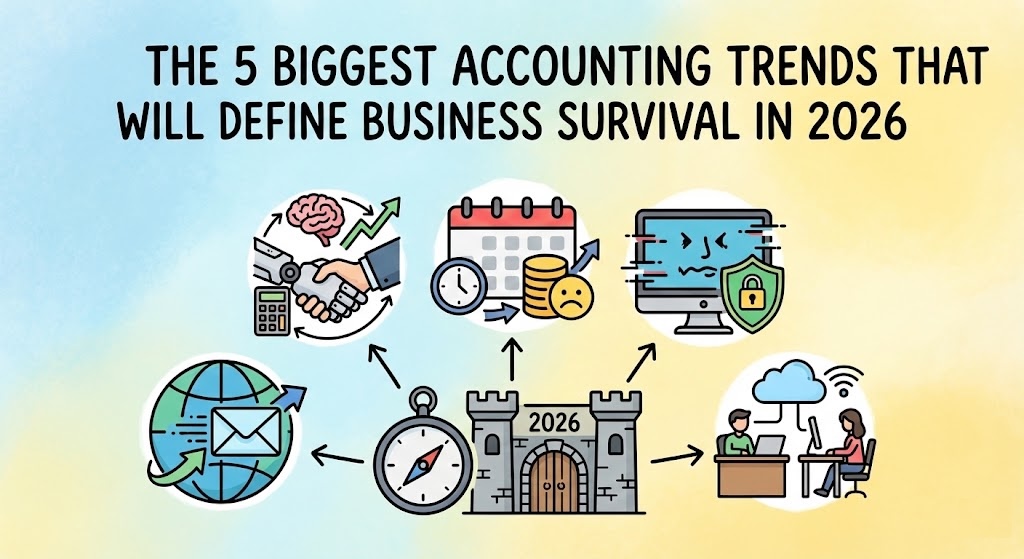
If you feel like the rules of doing business are changing faster than you can keep up, you aren’t alone. For freelancers and small business owners, 2026 is shaping up to be a turning point. We are finally moving away from the era of “I’ll get to that paperwork later” and into a world where automation is the standard and compliance is non-negotiable. We have dug into the latest government budgets and global industry reports to bring you the five biggest shifts hitting the accounting world in 2026. Here is what you need to know to stay ahead. In this article 1. Mandatory E-Invoicing Is Going Global First, let’s clear up a common misconception: E-invoicing is not just emailing a PDF. When you send a PDF, it is essentially a digital piece of paper—a human still has to open it, read it, and type the numbers into their system. True e-invoicing is data, not a document. It involves sending structured files (like XML) directly from your software to your client’s software (or the government’s), where it is read and processed instantly without human hands touching it. Governments love this because it closes tax gaps, and now they are making it the law across the globe. If you work with clients in these regions, your current method of invoicing might become obsolete. You will likely need software that generates these specific machine-readable formats automatically to ensure you can still get paid. 2. AI Will Supercharge Your Financial Productivity Ignore the doom-and-gloom headlines about robots taking jobs. In 2026, AI is less about replacing you and more about giving you your weekends back. The technology has matured from a “cool experiment” to a daily essential for cutting down busy work. 3. Late Filing Penalties Are Increasing Governments are getting smarter. They are using better data to spot mistakes faster, and the leniency we saw in previous years is disappearing. 4. The Rise of Deepfakes is Creating New Cybersecurity Risks Small businesses often think they are too small to be targeted by hackers. Unfortunately, as large corporations tighten their security, attackers are pivoting to smaller, easier targets using terrifyingly realistic tech. 5. Remote Work is the New Standard (But It’s Hybrid) The concept of having your accountant “down the street” is fading. Business owners are increasingly prioritizing talent and tech-savviness over physical proximity. Future-Proof Your Business with Fynlo The common thread across all these trends is technology. Whether it is meeting new e-invoicing mandates, staying on top of deadlines to avoid steeper penalties, or leveraging AI to save time, you need tools that evolve as fast as the world does. That is why we are excited to introduce the recently launched Fynlo AI. We built Fynlo AI to directly address the productivity and accuracy challenges mentioned above. It allows you to simply upload receipts or bank statements, and our engine takes over from there. Fynlo AI extracts the data, categorizes every entry, and updates your financial reports in real-time with 100% accuracy. No more manual data entry errors, no more late nights classifying expenses, and no more guessing where your business stands. Ready to get ahead of the 2026 trends? Schedule a demo today and experience the future of automated accounting.
5 Financial Metrics Your Bank or Lender Will Check Before Giving You a Loan

You’ve poured your time, energy, and sleepless nights into building something strong. You’ve overcome the initial hurdles, found product-market fit, and now you’re ready for the next big leap. That means securing the capital required to hire, expand your inventory, or move into a bigger space. This journey, though, brings you face-to-face with a tough reality: obtaining that financing is often the single biggest hurdle for small businesses. According to 2025 research from Allica Bank, SME loan rejections have dramatically increased from just 5-10% three decades ago to 40% today. In other words, lenders are far more selective than they used to be. The moment you submit that application, you step into a rigorous due-diligence process where lenders are looking past your gross revenue to assess two critical things: risk and repayment capacity. If you don’t know the core metrics they care about, you can’t prepare your books effectively or present your case with confidence. Here are the five essential financial metrics your bank will scrutinize before approving your loan. In this article 1. Quick Ratio (Acid-Test Ratio) Think of the Quick Ratio as your company’s emergency financial safety net. It’s a crucial measure of short-term liquidity, answering the question every lender silently asks: “If sales hit a sudden wall, could this business instantly pay its most urgent bills?” This metric focuses only on your most liquid assets—cash and receivables—and deliberately excludes inventory because that can be slow to sell or difficult to liquidate quickly. Lenders generally look for a Quick Ratio above 1.0. A strong Quick Ratio proves you have the immediate cash flow cushion to weather an unexpected storm, which builds confidence in your business’s foundational health. To put it simply: if you owe $10,000 in short-term bills, lenders want to see at least $10,000 in highly liquid assets; ideally more. Quick Ratio = (Cash + Accounts Receivable + Marketable Securities) / Current Liabilities 2. Debt-to-Equity (D/E) Ratio The D/E Ratio measures the financial structure of your business. It answers whether you’re funding growth primarily through debt or through the owners’ investment (equity) and accumulated profits. Lenders look for a lower ratio, typically below 1.5. A high D/E ratio (say, 3.0) signals that your business is highly leveraged and therefore vulnerable if revenues dip, as fixed debt payments remain relentless. Conversely, a low ratio proves the owners are committed and the company has strong internal stability. Debt-to-Equity Ratio = Total Liabilities / Total Equity 3. Debt Service Coverage Ratio (DSCR) When a bank considers giving you a new loan, DSCR is what matters most. It is arguably the most critical metric for any new debt, measuring your company’s direct repayment capacity for all its debt obligations. DSCR = Net Operating Income / Total Debt Service (Principal + Interest Payments) Banks usually require a DSCR between 1.25 and 1.50. Think of this simply: a DSCR of 1.25 means your operating income is 125% of your required debt payments. This provides a safety margin. If your DSCR is below 1.0, the loan conversation stops instantly—you’re simply not generating enough income to cover your required payments. 4. Gross Profit Margin While the initial metrics focus on risk, the Gross Profit Margin proves the viability of your core business model. It answers: “How profitable is your product or service itself, before the lights are even turned on?” Lenders look for a high and consistent margin. A strong Gross Profit Margin proves that your core service is priced correctly and that you are efficient at managing your direct production costs (COGS). This shows the inherent earning power of your product, assuring the lender that even if overhead expenses rise, the core offering is financially sound. Gross Profit Margin = (Revenue – Cost of Goods Sold) / Revenue 5. Accounts Receivable (A/R) Aging and DSO This metric focuses on cash flow quality and the efficiency of your collections process. A healthy balance sheet is useless if you can’t actually get the money in the door. Lenders pay close attention to your A/R aging report to see how many outstanding invoices are over 90 days due. If a large percentage of your revenue is perpetually uncollected, that’s a massive red flag. Days Sales Outstanding (DSO) measures the average number of days it takes for you to collect revenue after making a sale. DSO = (Average Accounts Receivable / Total Credit Sales) x Number of Days Lenders want to see a low DSO, indicating fast and efficient collection (ideally under 45 days). A high DSO suggests your credit control is weak or your clients are unreliable, significantly raising the lender’s risk profile. Your Strategic Decision Securing a loan starts long before you submit the application. It begins with accurate, organized financial reporting. These five metrics are calculated directly from your Balance Sheet and Profit & Loss Statement. Trying to compile this data manually using spreadsheets is tedious and prone to error, which immediately hurts your credibility during a loan review. The businesses that secure the best rates are the ones that can provide clean, real-time reports instantly and confidently. Fynlo provides the clear, real-time financial reports you need to confidently demonstrate your stability and repayment capacity to any lender. Stop worrying about compiling data; start focusing on growth. Schedule a quick demo today to ensure your books are audit-ready and lender-approved.
Should You Lease or Buy Equipment? A Financial Breakdown
Every small business owner hits a wall where their old equipment just won’t cut it anymore. Maybe it’s time for a faster work truck, a major new piece of machinery, or simply upgrading every laptop in the office. This decision isn’t just about whether you have the cash today; it’s one of the most important financial choices you’ll make all year. The question of whether to lease (rent) or buy (own) directly impacts your immediate cash flow, your tax bill, and the overall look of your company’s financial health. Understanding the difference is the first step toward making a profitable move. In this article The Case for Buying (Financing or Ownership) When a business buys equipment, it usually means taking out a loan to cover the cost. You own the asset outright, and it immediately goes onto your Balance Sheet. The Tax Advantage: Depreciation The biggest financial benefit of buying is that you get to claim the entire purchase price as an expense over the asset’s useful life. This is called depreciation. It’s a wonderful non-cash deduction that essentially gives you a massive tax break. For example, in the United States, rules like Section 179 allow you to deduct the full purchase price of some assets immediately. No one wants a surprise bill from the tax authorities, and claiming depreciation is a straightforward way to reduce your taxable income. Cash Flow and Final Cost While the upfront cost might be higher or require a significant down payment, the long-term benefit is that you build equity. Once the loan is fully paid off, the asset is yours free and clear. If you use the equipment for ten years, your total cost of ownership (after taxes) can often be lower than renting it for the same period. The Case for Leasing (Renting or Operating) Leasing is essentially renting the equipment for a set period, typically three to five years. This option is popular because it minimizes risk and keeps things simple. Flexibility and Low Upfront Cost The primary appeal of leasing is the minimal initial expense. You usually don’t need a large down payment, making it ideal if your business needs to preserve cash liquidity for other operating expenses, like marketing or inventory. Because you don’t own the asset, when the lease is up, you simply hand the old equipment back and upgrade to the newest model, which is perfect for rapidly changing technology like computers or software licenses. Accounting Simplicity From an accounting perspective, leasing is straightforward. Your monthly lease payment is treated as a simple operating expense, similar to paying rent. It goes directly onto your Profit and Loss (P&L) Statement, reducing your gross profit immediately. This process is far less complicated to track than the depreciation schedules required when you buy. Decision Matrix: Choosing the Right Path The ideal choice depends entirely on your company’s needs and long-term outlook. When to Buy (Stability is Key): When to Lease (Flexibility is Key): Accounting Impact: How Each Choice Affects Your Statements Regardless of which path you choose, you need an organized system to track the financial consequences correctly. Buying is more complex to track. When you buy, you must record the full asset value and the corresponding liability (the loan) on your Balance Sheet. Then, your accounting system needs to correctly calculate and post the depreciation entries monthly or annually, following local tax rules. This meticulous tracking is essential if you ever need to apply for a loan, as banks will heavily scrutinize your Debt-to-Equity ratio. Example 1: Buying (The Balance Sheet Impact) When you buy a $10,000 piece of equipment with a loan, your books change immediately and permanently: Account Effect Statement Value Equipment Asset Increases Balance Sheet + $10,000 Loan Payable Liability Increases Balance Sheet + $10,000 Annual Depreciation Expense Increases P&L Statement + $1,000 Accumulated Depreciation Asset Value Decreases Balance Sheet + $1,000 The Takeaway: Buying creates a complex tracking relationship between the Balance Sheet (Asset/Loan) and the P&L (Depreciation). Leasing keeps your Balance Sheet clean. Since leasing is treated as an operating expense, the monthly payment only touches your P&L statement. It avoids adding large debt obligations to your books, which can sometimes be advantageous if your company is trying to stay lean to secure a future loan or meet specific financial covenants required by lenders. Example 2: Leasing (The P&L Simplicity) When you pay a $300 monthly lease payment, the transaction is simple and only affects two things: Account Effect Statement Value Lease Expense Expense Increases P&L Statement + $300 Cash Asset Decreases Balance Sheet – $300 The Takeaway: The cost is immediate, transparent, and easy to track, requiring no complex depreciation schedules. Your Strategic Decision The decision to lease or buy equipment is a strategic one, balancing immediate cash needs against long-term tax and ownership benefits. It requires careful tracking of depreciation schedules, loan balances, and expense categories. Don’t let these complex entries be a source of error or confusion. You need a system that ensures your fixed assets are tracked accurately, your depreciation is automatically calculated, and your financial reports are audit-ready, whether you are owning an asset or simply renting its use. Ready to gain control over your assets and deductions? Schedule a quick demo today to see how Fynlo simplifies fixed asset management, expense tracking, and financial reporting for growing businesses.
Free Alternatives to QuickBooks/Xero: The Best Free Accounting Tool for Micro-Businesses
Running a micro-business or a growing freelance operation means constantly balancing costs against value. You know you need professional accounting software—you need reports, tax compliance, and clean books. Yet, paying a monthly subscription for QuickBooks or Xero when your income is still irregular can feel like an unnecessary burden. You’re looking for a free alternative, but the search can be overwhelming. There are dozens of tools out there, and finding one that is truly free and powerful enough for a real micro-business is a challenge. The right tool is a strategic investment; it saves you time and ensures you build the solid financial foundation you need for future growth. Here, we review the top genuinely free alternatives available today. We look at their core features, limitations, and help you find the best starting point for your micro-business. Table of Contents Top 5 Truly Free Accounting Alternatives These platforms all offer a permanently free tier, making them excellent starting points for sole traders and service-based freelancers. Tool Primary Free Plan Name Best For Key Free Limitations Wave Starter Plan Purely Free & Simple (US/CA Focus) Bank feeds, receipt scanning, and some invoice customization require paid plan. Zoho Books Free Plan Scalability & Feature Depth Annual revenue limit applies; bank feeds, receipt scanning, and invoice customisation require paid plan. QuickFile XS, S and M UK-Based Low-Volume Transactions Limited to 1,000 nominal transactions per year. Pandle Pandle Free Unlimited Core Functionality Automated bank feeds and receipt uploads are reserved for the paid plan. Fynlo Forever Free Global Freelancers & Multi-Currency Limited to 20 monthly invoices; budget management and online payments require paid plan. Note: Platform features and pricing may change. Before starting a free trial, check the provider’s website for the latest service details and fees. 1. Wave Wave offers its accounting tools under the Starter Plan and is widely considered the best truly free option for freelancers and small businesses in the US and Canada. It has helped more than 5.9 million small business owners in the US and Canada manage their money since 2010. This plan includes unlimited invoicing, expense tracking, and basic financial reports. Bank feed automation and receipt scanning are not included in the free plan and require upgrading to Wave’s paid tier. Wave generates revenue through payment processing fees when clients pay invoices via credit card or ACH. https://www.waveapps.com 2. Zoho Books Zoho Books is part of a much larger ecosystem of business software, giving it a powerful advantage in scalability. It has 4.6/5 rating on G2 CROWD and 4.7/5 rating on SoftwareSuggest. The Free Plan is generous but comes with a clear cap: it is limited to a single user, a single accountant, 1,000 invoices per year, and you cannot exceed an annual revenue threshold limit which is set specifically for each region (e.g., $50,000 in the USA and £35,000 in the UK). If you are starting small and plan to stay small, this plan is excellent, offering features like a client portal and multi-lingual invoicing. Multi-currency handling, bill management, and automated bank feeds are typically locked into their paid tiers. https://www.zoho.com/books/free-accounting-software 3. QuickFile While primarily focused on the UK market, QuickFile is noteworthy for its feature-rich free plan. It receives 4.8/5 rating on TrustPilot, based on 2,940 reviews. The software is completely free as long as your 12-month nominal ledger transaction volume stays under 1,000. For a sole trader with low transaction volume, the free plan is exceptionally powerful, offering full multi-currency support and VAT/ITSA compliance tools (which are crucial for UK users). If you exceed 1,000 transactions, an annual fee of £60 plus VAT will apply. https://www.quickfile.co.uk 4. Pandle Pandle has more than 100,000 active users and has 4.6/5 rating on Trustpilot based on 1,290 reviews. Pandle offers its Free Plan with a strong focus on simplicity and unlimited core usage, meaning there are no limits on revenue or the number of invoices you can issue. The free tier includes invoicing, basic financial reports, and multi-currency support. As with many platforms, key automation features such as bank feeds (automatic transaction imports) and receipt uploads are reserved for the paid Pandle Pro version, which costs £5 per month plus VAT. This is an excellent choice for businesses prioritizing unlimited core functionality. https://www.pandle.com (Note: This is a UK-focused product.) 5. Fynlo Fynlo has a growing user base in the USA and Asia region. Thousands of businesses find that it makes invoicing and expense tracking simple and the service reliable. Fynlo is designed specifically for global freelancers and micro-businesses, meeting the need for robust multi-currency tracking without complexity. Its Forever Free plan provides up to 20 monthly invoices, expense tracking, Core Multi-Currency reporting, and access for 1 user plus 1 accountant. This makes it one of the best free options for entrepreneurs who receive or pay in different currencies. Certain advanced features, like accepting online payments and budget management, are reserved for our paid tiers to ensure high-level compliance as your business scales. https://www.fynloapps.com The Functional Limitations of Free Accounting Software Free” is a perfect place to start, allowing you to experiment and see which platform’s features and interface suit your working style. As you grow, you would need to be aware of the limitations that make the paid versions of accounting tools a worthwhile investment. Some common paid features include Bank Feed Automation, Multi-Currency Tracking and FX Gains/Losses, and Hard Limits on Revenue, Users, or Transactions. Bank Feed Automation The primary feature restricted in most free plans is Bank Feed Automation. This means the platform will not automatically import and categorize your transactions from your bank. While manual entry works for very low volume, spending hours every month manually entering or uploading transactions can be a major drain on your time—time that is better spent earning revenue. Multi-Currency Tracking and FX Gains/Losses This is the single biggest failure point for most free accounting software. If you deal with international clients, free platforms often do not automatically calculate Foreign Exchange (FX) Gains and Losses needed for accurate reporting. This complex calculation must then be done manually (often in a messy spreadsheet), significantly increasing your risk of tax mistakes. Hard Limits on Revenue, Users, or Transactions As tools like Zoho Books show, many platforms impose a hard revenue limit. If you
Bookkeeping Services for Small Businesses: How to Choose Right and Avoid Costly Mistakes

When you decided to run your own business, you stepped into a role that requires managing every moving part—from client relationships to cash flow. One of the hardest but most important jobs you have is keeping your finances in order. While you may not be a certified accountant, maintaining accurate financial records is the single most important action you can take to ensure business stability and tax compliance. This guide breaks down what high-quality bookkeeping services truly entail in the modern era, what essential features you must demand from any system (or provider), and the critical, non-obvious errors that could hurt your financial visibility and cash flow. By the end, you will know exactly how to establish an expert-level foundation for your small business finances. Table of Contents What Exactly Are Bookkeeping Services? A Modern Definition and Supporting Evidence Bookkeeping is the structured process of recording and classifying every financial transaction that flows through your business. It transforms raw data—your invoices, receipts, and bank statements—into organized, accurate financial records that serve as the foundation for all strategic and tax-related decisions. The Real Cost of Inefficiency The core reason to professionalize your financial system isn’t just about compliance—it’s about protecting your time and profit. Inefficient bookkeeping directly drains both. The Bookkeeper’s Core Responsibilities Without accurate bookkeeping, you can’t make confident business decisions. Cash flow insights, tax planning, and even investor confidence all depend on organized financial data. In other words, bookkeeping isn’t just compliance—it’s strategy. Here are the four pillars of effective modern bookkeeping: What Good Bookkeeping Should Expertly Offer In today’s market, reliance on spreadsheets is no longer effective. Whether you hire a firm or use a powerful, integrated accounting platform, your “bookkeeping service” must deliver these expert-level capabilities: A. Integrated, Real-Time Data Flow A top-tier system doesn’t rely on weekly or monthly imports. It utilizes secure, API connections to your bank and credit accounts, providing a continuous, real-time feed of transactions. This automation is key to achieving instant financial visibility and virtually eliminating the need for manual data entry. B. Intelligent Categorization and Workflow Automation The system must go beyond simple logging. It should use AI-driven logic to suggest the correct category for each transaction based on vendor name and historical data. Crucially, it must handle the entire expense workflow: C. Superior Compliance and Tax Readiness Your system should not just record; it should prepare. It needs to track expenses according to the specific rules of the applicable tax code. Look for integrated features that: D. Seamless Invoicing and Accounts Receivable Management For many freelancers and small businesses, cash flow is everything. An expert solution integrates invoicing directly into the books. When you send an invoice, it’s immediately logged as revenue due; when the payment clears the bank feed, the system instantly marks the invoice paid and performs the reconciliation—all without manual intervention. Common Bookkeeping Mistakes to Avoid These mistakes move beyond the obvious (like not separating accounts) and focus on the technical errors that often trip up small business owners, leading to confusion and unnecessary tax exposure. Mistake 1: Neglecting the Sales Tax Liability Account If your business collects sales tax from customers, that money is not your income; it’s a liability you owe the state. A common error is recording collected sales tax as part of gross revenue. This overstates your income, leading to higher income tax liability and inaccurate P&L Statements. You must correctly classify collected sales tax into a dedicated liability account on your Balance Sheet until it is paid. Mistake 2: Misclassification of Fixed Assets Many businesses immediately categorize large purchases—such as a new $3,000 laptop or specialized business software with a lifespan over a year—as a regular expense. However, these are fixed assets. Failing to capitalize them (recording them as assets) and using the appropriate depreciation method distorts your true profitability and can lead to incorrect calculations for your tax basis. Mistake 3: Failing to Regularly Review Unapplied Customer Payments This error happens when a customer pays an amount that doesn’t exactly match an outstanding invoice, or they pay before the service is invoiced. The money sits in a temporary “Unapplied Customer Payments” account. If left unreviewed, this money can be missed, leading to inaccurate Accounts Receivable totals and future confusion during account reconciliation. Regularly clearing this account ensures your books reflect your true client payment status. Mistake 4: Improperly Handling Owner Draws and Contributions For sole proprietors and partnerships, taking money out of the business is called an Owner’s Draw, and putting personal money in is a Contribution. A common error is mistakenly recording these movements as business expenses or revenue. This will seriously skew your P&L Statement. These transactions must be logged against the Owner’s Equity accounts on the Balance Sheet, ensuring your income and expenses remain clean for tax filing. Mistake 5: The Expense vs. Capital Improvement Dichotomy If you own property, be careful classifying renovation costs. Routine repairs (like fixing a broken window) are immediately deductible operating expenses. However, improvements that increase the property’s value or useful life (like installing a new HVAC system) must be capitalized and depreciated over time. Incorrectly classifying a capital improvement as an expense can lead to immediate tax authority scrutiny and adjustments to your taxable income. The Path to Expert-Level Financial Control The takeaway is clear: efficient, accurate bookkeeping is not a luxury; it’s a necessary component of your professional toolkit. By choosing a system that provides the integrated, automated, and expert-level features detailed above, you move past basic data entry and gain a powerful strategic advantage. You secure your compliance, optimize your tax position, and gain the ultimate peace of mind. Fynlo is an intuitive, all-in-one accounting platform engineered for the small business owner and freelancer who demands both simplicity and subject matter expertise. We provide a single, integrated solution that delivers automated transaction flow, intelligent categorization, effortless tax readiness, and real-time financial reporting—empowering you to take full control of your business accounting without needing a finance degree. Ready to implement an expert-level
The Small Business & Freelancer Guide to Expense Tracking and Management
If you’re a freelancer or a small business owner in the U.S., you’ve likely been there: you just landed a big project, you’re focused on delivering your best work, and meanwhile a small but persistent stack of receipts starts piling up. Gas, software subscriptions, client meals, marketing costs—they all add up, and before you know it, there’s a pile growing on your desk. That pile isn’t just clutter. Left unchecked, it creates stress, eats away at your time, and can even impact your bottom line. Manual expense tracking often leads to lost deductions, mistakes, and hours that could be better spent growing your business. In this guide, we’ll break down expense management software for freelancers and small business owners—what it is, why it’s becoming essential, the features that actually matter, and how the right system can help you boost profitability and stay compliant with ease. Table of Contents What is Expense Management Software, and How Does It Actually Work? In simple terms, expense management software is a digital system that automates the entire process of tracking, recording, approving, and reporting business spending. It is the modern replacement for spreadsheets and shoeboxes of receipts. For a small business, a dedicated tool is far simpler and more accurate than trying to make basic accounting methods handle the detailed, real-time needs of expense tracking. The power of this software lies in its four steps: 1. Capture: From Paper to Digital Proof Instead of manually saving paper receipts, the software uses mobile technology and email integration. 2. Synchronization: Building the Audit Trail This step connects the captured receipt proof to your bank records. 3. Categorization: Making Sense of Spending This is where raw data is turned into useful financial information. 4. Reporting: The Roadmap to Profitability Expense software doesn’t just store data; it organizes it for actionable insights and compliance. Why Manual Expense Tracking is a Financial Risk As an entrepreneur, your time is finite and valuable. Spending hours on manual expense tracking is a costly gamble that often backfires. Lost Time and RevenueEvery hour spent sorting receipts, reconciling statements, or fixing spreadsheet errors is an hour not spent on billable work or growing your business. This inefficiency translates directly into lost revenue. Audit and Deduction ExposureThe U.S. tax code requires proof for every expense. Lost or faded receipts mean lost deductions and a higher tax bill. In an audit, missing or disorganized records can result in disallowed deductions, back taxes, interest, and penalties. The Essential Features Your Expense Management Software Must Have For freelancers and growing small businesses, the best solution focuses on automation, simplicity, and tight integration. Look for these critical functions: Mobile Access and OCR Receipt CaptureYour work happens everywhere, not just at your desk. The software must have a robust mobile app that allows you to capture receipts instantly, anytime, anywhere. This immediate digitization, powered by OCR, ensures that every piece of paper is processed and stored securely before you even leave the vendor’s location, ensuring no deduction is missed. Automatic Bank and Credit Card IntegrationA modern system must seamlessly connect to your U.S. financial accounts to import transactions in real-time. This integration is crucial for the automated matching process, creating the transparent, end-to-end audit trail that gives you peace of mind during tax season. Smart, Customizable Expense CategorizationThe software should go beyond basic tags. It needs to learn your spending patterns and allow you to fully customize categories to align with your Schedule C or business accounting needs. This intelligence saves immense time and ensures that your books are consistently accurate from one month to the next. Integrated Mileage TrackingIf you use your personal vehicle for business travel (client visits, supply runs, etc.), tracking mileage is mandatory for claiming the per-mile deduction. The best software includes a GPS-based feature that automatically logs trips and calculates the IRS-compliant deduction, maximizing this often-overlooked write-off without requiring a separate app or manual logbook. Secure Cloud StorageCompliance requires you to keep records for years. Your software must securely store every single digital receipt and financial transaction in the cloud. This centralization provides indefinite, searchable access to all your records, making it simple to pull up documentation whether you’re working on taxes or simply reviewing a quarterly budget. CPA-Ready ReportingThe software is not a replacement for your tax professional, but it should make their job easier. It must be capable of generating standardized, clean, and organized reports that summarize all your expenses by category, date, and vendor, ensuring your tax preparer has all the necessary data in a format they can easily understand and use. Choosing the Right Tool: The Landscape of Expense Management When searching for the best tool, it’s critical to look for a solution where expense management is baked directly into the accounting software, rather than requiring a separate app. This approach avoids messy data imports and ensures that every categorized expense immediately updates your Profit & Loss statement, giving you the clearest, most accurate view of your financial health possible. For U.S. freelancers and small business owners, the following major accounting platforms are widely known for offering strong, built-in expense features: Accounting Software Key Expense Management Feature Focus Small Business Fit QuickBooks Online Robust integration with U.S. banking, strong receipt capture via mobile, and highly detailed report customization for tax forms. Excellent for businesses that already rely on QuickBooks for payroll and tax filing; highly comprehensive but can be complex. Xero Beautiful bank feed integration, excellent use of rules and machine learning for automated categorization, and clean, intuitive reporting. Great for businesses seeking a modern, visually appealing interface that emphasizes automation and simplicity. FreshBooks Built specifically around the needs of service-based businesses and freelancers; offers time tracking and project expense tracking alongside receipt capture. Ideal for solopreneurs and firms that bill clients based on time and expenses, prioritizing ease of use over deep corporate features. Fynlo Seamless, all-in-one platform focusing on instant receipt capture and real-time P&L updates without recurring bookkeeping fees. Perfect for U.S. freelancers and small teams
Accounting Services for Small Business: A Comprehensive Guide to Whether You Need an Accountant, a Bookkeeper, or Just Better Software
If you’re running a small business or working as a busy freelancer, you know the feeling: the bookkeeping pile is growing, tax deadlines are looming, and you’re suddenly asking Google, “What accounting services for small business do I actually need?” It’s one of the biggest questions entrepreneurs face. On one hand, you don’t want to overspend on services you could handle yourself. On the other, getting the finances wrong can lead to costly mistakes, missed opportunities, and—worst of all—IRS penalties. The truth is, “accounting services” isn’t a single thing—it’s a spectrum of financial help. The right choice depends entirely on your business’s size and complexity. For most small operations, you can handle the basics with smart tools, saving the expense of a human expert for complex strategy and tax filing. To help you decide where to focus your resources, here’s a quick look at the four main tiers of financial help available, followed by a deeper dive into each role. Table of Contents Accounting Software vs. Professional Services: Where to Invest Your Money When should you hire a human professional, and when is dedicated software your best financial partner? The ideal mix helps you achieve full compliance without overspending. Tier of Service Can Software Handle It? When to Hire a Human Expert Bookkeeping (Tier 1) Yes. Automated accounting software can handle 90% of routine categorization, expense tracking, and reconciliation. Your business has high transaction volume (500+ per month), manages multiple currencies, or handles complex inventory. Accounting (Tier 2) Partially. Software generates the reports, but a human must review them for strategic insight. You need help interpreting metrics like Gross Profit Margin or preparing financial statements for a loan application. Tax Preparation (Tier 3) Yes, for the basic returns (e.g., Schedule C). Your business is an S-Corp or C-Corp, or you have complicated state tax nexus issues. Strategy (Tier 4) No. Forecasting and consulting require human judgment, market knowledge, and expertise. You need advice on pricing, mergers, acquisitions, or long-term growth financing. The Spectrum of Financial Help: 4 Tiers of Accounting Services When you look for professional help with your business finances, the service you need typically falls into one of these four essential categories: Tier 1: Bookkeeping—The Day-to-Day Foundation Bookkeeping is the foundation of all business finance. If you’re looking for professional bookkeeping services for small business, this is where you start. This involves the accurate recording of all financial transactions—sales, purchases, receipts, and payments. It’s the daily chore that provides the raw data for all your other financial reports. Tier 2: Accounting—Reporting and Financial Review Accounting takes the raw data created by the bookkeeper and organizes it into meaningful financial statements (Profit & Loss, Balance Sheet, Cash Flow Statement). When engaging Certified Public Accountant (CPA) services, they take the lead on interpreting these reports to ensure accuracy, compliance, and strategic planning. For more info, read our another blog “Financial Statements: A Comprehensive Guide.” Tier 3: Tax Preparation—The Annual Filing This is the specialized service most businesses use at least once a year. When seeking small business tax services, a tax preparer (often a CPA or Enrolled Agent) ensures your tax return is filed correctly and on time, minimizing your liability while staying compliant with IRS rules. Tier 4: Financial Consulting & Strategy (The Growth Partner) This is the most advanced tier of service. A financial consultant or Fractional CFO works with you throughout the year to help you make major business decisions, such as budgeting for expansion or planning an exit strategy. Your Solution for Smart, Simple Accounting The overwhelming majority of small businesses—especially service-based ones and freelancers—find the sweet spot is automating Tiers 1 and 2 (Bookkeeping and basic Reporting) using robust software, and hiring a CPA only for Tier 3 (Tax Filing). This model saves thousands of dollars annually in unnecessary bookkeeping fees while ensuring you maintain accurate financial records that minimize your tax burden and keep you audit-ready. You don’t need a full-time accountant to tell you where your money is going; you need a tool that shows you, instantly. This is where a solution like Fynlo comes in. Our platform is designed specifically to make running your books simple, providing the automated categorization and real-time reporting you need to handle Tier 1 and 90% of Tier 2 services yourself. With Fynlo, you gain the clarity of professional small business accounting without the recurring fees, ensuring your data is always organized and ready for your CPA come tax season. Ready to take control of your accounting and get professional-grade insights without the professional price tag? Schedule a demo with us or sign up today.
How to Transition from Spreadsheets to Accounting Software
In the early days of your business, a spreadsheet is often the perfect way to track your first few invoices and expenses. But as your business grows, that once-simple spreadsheet can start to feel less like a helpful tool and more like a liability. The manual data entry becomes a time-sink, the risk of a broken formula looms large, and you have no real-time view of your financial health. If this sounds familiar, you’re not alone. You’ve just hit a growth milestone—the point where your business is ready for a system that’s as professional as you are. And the data shows why this is so important: a recent study found that 94% of spreadsheets contain critical errors. A single typo can lead to flawed financial data, impacting everything from your budget to your tax filings. Making the switch to accounting software can feel like a daunting task, but it doesn’t have to be. This guide will walk you through a clear, stress-free process to make the transition seamless. Table of Contents Step 1: Acknowledge It’s Time for a Change The first step is recognizing that moving on from your spreadsheet isn’t a failure—it’s a sign of success. Your business has outgrown its starter tool. You’ve likely reached this point if you’re experiencing a few of these common growing pains: If you’re nodding along, it’s time to upgrade to a system that gives you clarity and your time back. Step 2: Choose the Right Software for Your Needs The goal is to find a platform that simplifies your life, not one that requires an accounting degree to operate. As you explore your options, look for a solution that prioritizes these key features: Step 3: Plan Your Migration (A Step-by-Step Guide) A little bit of planning makes the actual transition smooth and stress-free. Don’t try to do everything at once; follow these simple steps. A. Pick a Clean Start Date The easiest way to make a clean break is to start at the beginning of a fresh accounting period. A new month or quarter is ideal. This means you can close out the previous period in your old spreadsheet and start the new one fresh in your new software. B. Gather Your Key Documents Before you begin, have your essential financial information ready. This includes: C. Organize and Clean Your Existing Data Before importing your spreadsheet data, take a little time to clean it up. This step is crucial for a smooth migration and gives you a fresh, accurate starting point in your new system. Be sure to: D. Set Up Your New System This is the foundational work. Once you’re in your new software, the first steps are usually to: E. Input Your Opening Balances This is a critical step. For your new software to be accurate from day one, you need to tell it where your business stands financially. This means entering the closing balance from your bank account on your start date, as well as any outstanding invoices and bills you gathered in step B. F. Run in Parallel for One Month (Optional) If you’re feeling nervous, you can run both systems for a single month. Keep using your spreadsheet while the software works in the background. At the end of the month, you can compare the two. This will build your confidence and prove that the new system is working correctly before you say goodbye to your spreadsheet for good. Step 4: Embrace the Benefits Once you’ve made the switch, you’ll quickly start to feel the benefits. That sense of nagging uncertainty will be replaced by clarity. The hours you used to spend on tedious data entry can now be spent on growing your business. You’ll be able to create a professional Profit & Loss statement in a few clicks, see exactly who owes you money, and head into tax season feeling organized and prepared. Make the Move to Financial Clarity Making a change to your financial workflow can feel like a big step, but it’s one of the most powerful moves you can make for your business’s health and your own peace of mind. It’s an investment in efficiency, accuracy, and your future growth. Curious how this could look for your business? Schedule a free call with our team—we’ll walk you through it. Or jump in now and explore Fynlo for free. No credit card required.
Bookkeeping and Accounting: What’s the Difference?
Ever wondered about the people who keep a company’s financial world spinning? Two key players in this arena are bookkeepers and accountants, and while their roles are often confused, they are distinctly different yet deeply connected. In short, bookkeeping is the process of recording daily financial transactions, while accounting is the high-level process of analyzing and interpreting that data to make strategic business decisions. Think of it like building a house. The bookkeeper is the one laying the foundation and framing the structure, ensuring every brick and beam is perfectly in place. The accountant is the architect who analyzes that structural blueprint, advises on how to develop the property for long-term value, and ensures it complies with all regulations. One builds the structure; the other ensures it’s a sound investment. Table of Contents A Simple Comparison of Core Functions This table offers a clear, side-by-side comparison of the two roles: The Role of a Bookkeeper A bookkeeper is the master of the day-to-day financial records. Their primary role is to ensure every single financial transaction is accurately recorded and categorized. This is a crucial, detail-oriented job that forms the bedrock of a company’s financial reporting. Without it, you’re making decisions in the dark. Key responsibilities of a bookkeeper include: The Role of an Accountant An accountant takes the meticulously recorded data from the bookkeeper and uses it to see the bigger financial picture. They analyze this information, prepare formal financial statements, and provide strategic advice to help the business grow and remain compliant. A good accountant doesn’t just report the numbers; they tell you the story behind them. Key responsibilities of an accountant include: A Real-Life Coffee Shop Example At Joe’s Coffee House, its bookkeeper works on a daily or weekly basis. They record every sale of coffee and pastries, log the invoices for milk deliveries and new equipment, process payroll for the baristas, and reconcile the cash register with the bank deposits. They ensure the fundamental data is flawless. At the end of the quarter, the accountant takes this data. They prepare a profit and loss statement and see that while revenue is high, the cost of goods sold is eating into margins more than expected. They advise the owner to renegotiate with a supplier or adjust menu prices. They also use the year’s data to prepare the tax return and create a budget for the next year, forecasting potential cash flow for a planned renovation. The bookkeeper tracked the individual transactions; the accountant helped the owner see the path to greater profitability. Can Your Bookkeeper and Accountant Be the Same Person? This is a common question, and the answer is yes, it’s possible, especially in certain scenarios. Bookkeeping and accounting are not mutually exclusive; they are two sides of the same financial coin. In very small businesses or for sole proprietors, the owner often handles the basic bookkeeping, and an external accountant is hired for year-end taxes and analysis. Alternatively, many modern accounting professionals and firms offer both bookkeeping and accounting services as a bundled package. A qualified accountant certainly has the skills to perform bookkeeping tasks. Yet, it’s important to remember that they remain two distinct functions. When one person fills both roles, they are “wearing two different hats.” They spend part of their time on the transactional recording (the bookkeeping hat) and part of their time on the high-level analysis and strategy (the accounting hat). The key is to ensure that both essential functions are performed accurately. Ready to Streamline Your Financials? Feeling overwhelmed by the thought of managing both the daily records and the big-picture strategy? You’re not alone. The right tools can make all the difference, automating many of the tedious tasks of bookkeeping so you and your financial advisor can focus on growth. Our accounting software is designed to simplify your financial management. Let’s find out exactly what you need. Schedule a free call with our team today, and we’ll help you build a more efficient and profitable financial future.
17 Accounting Myths You Probably Still Believe (Debunked)
Most of us dive into freelancing or small-business ownership for the work itself—designing, consulting, baking. The last thing we signed up for was bookkeeping. Yet every conversation comes with unsolicited “advice” from well-meaning friends or relatives: “Just write off everything!” or “You don’t need records—just save your bank statements.” Those myths don’t just create unnecessary stress—33% of small-business owners report they regularly lose sleep over money worries—and they can cost you real dollars if left unchecked. We didn’t get into business to become accountants, so it’s easy to fall for these misconceptions. Let’s debunk these myths and give you the clarity to manage your finances confidently. Myth 1: Accounting is only for tax season. Reality: Accounting is a year-round activity that gives you a real-time pulse on your business’s health. Why It Matters: Scrambling for records in March or April creates stress, missed deductions, and rushed decisions. Reviewing your books monthly, or even weekly, lets you spot small issues, improve cash flow, and cut costs before they spiral out of control. Myth 2: I’m too small to need formal accounting software. Reality: Spreadsheets are prone to errors and can’t scale with your business. In fact, research indicates that up to 88% of spreadsheets contain significant mistakes. Why It Matters: I’ve been there. My first year I tracked everything in a spreadsheet. A single misplaced formula almost cost me $500 in underreported income. Modern cloud software is affordable, automates data entry, and lets you connect your bank feed, so you save hours and get a clearer financial picture. Myth 3: I can write off 100% of my home-office costs. Reality: You can only deduct the portion of your home used exclusively and regularly for business. Why It Matters: Over-claiming this deduction is a classic IRS red flag. You can choose the simplified method (up to $1,500) or the actual-cost method (allocating mortgage, utilities, insurance). Use whichever yields the bigger benefit, but only for truly dedicated office space. Myth 4: A business credit card can replace a business bank account. Reality: A credit card lets you borrow money, while a bank account is where your business’s cash actually lives. You need both, but a separate business bank account is especially important to manage funds properly. Why It Matters: Mixing personal and business money in one account can strip away your LLC’s liability protection, exposing your personal assets if things go wrong. It also turns bookkeeping and tax preparation into a tangled mess. A dedicated business bank account keeps your finances clear, simplifies reconciliations, and ensures your legal and financial records stay rock solid. Myth 5: I don’t need to save receipts if I have a bank statement. Reality: The IRS requires proof of purchase, and bank statements alone don’t show what you actually bought Why It Matters: Picture an auditor asking what a $200 Amazon charge covered. A bank statement alone won’t prove it was for a printer rather than a TV. Instead, digitize and tag every expense as it happens using receipt-capture apps like Dext or QuickBooks Snap. Myth 6: Profit is the same as cash flow. Reality: Your profit on paper may look healthy, but cash flow measures the actual dollars in your account that keep your business running. It’s a crucial difference, and an Intuit study found that 61% of small-business owners struggle with cash-flow issues. Why It Matters: Your Income Statement can show a big profit, but if clients haven’t paid, you can’t pay your bills. This is the single most critical survival concept. Myth 7: I can pay myself whatever’s left in the business account. Reality: You must set aside money for taxes and business savings before paying yourself. Why It Matters: Following Mike Michalowicz’s “Profit First” principle means you allocate percentages to tax and profit accounts before paying yourself. This approach prevents the panic of facing a large tax bill with no funds set aside. Myth 8: Bartering (trading services) isn’t taxable. Reality: The fair market value of services received in a trade counts as taxable income. Why It Matters: If a web designer trades $2,000 of work for $2,000 of photography, each party must report $2,000 of income. Don’t let “free” trades cost you in unreported revenue. Myth 9: An accountant is too expensive for my small business. Reality: A good accountant saves you more money than they cost. Why It Matters: They prevent mistakes, uncover deductions, and save you hours of work. For example, a $2,000 annual fee is repaid when you reclaim just 40 hours of time—hours you can spend on billable work or growing your business. This makes an accountant an investment, not an expense. Myth 10: My bookkeeper and my tax preparer are the same thing. Reality: Bookkeeping is daily transaction recording, while tax preparation is annual return filing. Why It Matters: Clean, year-round books speed up tax season and reduce preparation costs because your accountant can work directly with accurate, organized records. Myth 11: I can deduct the cost of my commute to my office or co-working space. Reality: Commutes from home to your primary workplace are non-deductible, but you can deduct business trips beyond that, such as driving to client meetings. Why It Matters: Misclassifying personal travel as business mileage invites audit scrutiny. Only log miles driven for business purposes beyond your usual commute. Myth 12: Estimated taxes are optional. Reality: If you expect to owe more than $1,000 in tax, you must pay quarterly estimated taxes. Why It Matters: The U.S. is a “pay-as-you-go” system. Missing estimated payments triggers underpayment penalties—just like an employee missing withholding. Myth 13: Putting ‘LLC’ after my name protects me from everything. Reality: An LLC shields personal assets from business debt, but it doesn’t protect you from professional negligence or from commingling personal and business funds. Why It Matters: If a client sues over an error or omission, your LLC structure will not prevent a negligence claim and your personal assets could still be at risk. Beyond separating business and personal finances,