
6 Accounting Red Flags Every Small Business Owner Should Know (Before It’s Too Late)
As a small business owner, you’re likely juggling a million things. While your passion lies in your product or service, the health of your business hinges on its financial well-being. Neglecting your accounting is like ignoring a persistent cough—it might seem harmless at first, but left unchecked, it can signal something much more serious. Recognizing early warning signs in your financial records is crucial for nipping potential crises in the bud, before they threaten your livelihood. Think of your accounting as the vital signs of your business. Just as a doctor monitors blood pressure and heart rate, you need to keep a close eye on key financial indicators. Missing these red flags can lead to cash flow crunches, tax penalties, and even business failure. According to Business Insider, 82% of small business failures are due to poor cash management. Understanding and addressing accounting red flags early can significantly improve your chances of survival and success. This blog post will highlight 6 critical accounting red flags that every small business owner should be aware of. By understanding these warning signs, you can take proactive steps to address potential issues before they become irreversible. Let’s get financially savvy and safeguard your business’s future. Table of Contents 6 Accounting Red Flags to Watch For 🚩1. Inconsistent Cash Flow Cash flow is the money coming into and going out of your business. Inflows are cash you receive, like payments from customers or loans. Outflows are what you spend, like rent, supplier bills, or employee wages. Your cash flow should be steady, with predictable patterns. Big ups and downs without obvious reasons, like holiday sales spikes, are a warning sign. Check your bank statements or cash flow reports every month to spot unusual changes. For example, if your inflows drop suddenly or outflows spike, it could mean trouble. Why It Matters: Uneven cash flow can leave you unable to pay bills, suppliers, or staff, putting your business at risk. It might point to slow sales, late customer payments, or overspending. How to Address It: Use small business accounting software like QuickBooks or Xero to track cash flow daily. Set strict payment terms, like requiring invoices to be paid in 15 days, and chase late payers. Keep a cash reserve—think of it as a savings account—to cover unexpected dips. 🚩 2. Delayed or Inaccurate Financial Reports Financial reports, like your profit and loss statement (which shows your income and expenses) or balance sheet (a snapshot of what you own and owe), should be ready on time and correct. If monthly or quarterly reports are always late or have mistakes—like numbers that don’t match your bank account—it’s a sign of messy accounting. Compare reports to your bank statements to catch errors, such as expenses listed twice or missing sales. If you’re waiting weeks for reports, something’s off. Why It Matters: Late or wrong reports make it hard to make smart business decisions. They can hide problems, like unpaid bills or incorrect revenue, and could cause trouble during tax audits. How to Address It: Automate bookkeeping with tools like FreshBooks or Zoho Books to create reports instantly. Check reports monthly to spot mistakes early. If delays or errors keep happening, hire an accountant to organize your records. 🚩 3. Over-Reliance on a Few Clients Depending on just one or two clients for most of your income is like putting all your eggs in one basket. Add up how much each client contributes to your revenue. If one or two make up more than 20–30%—say, half your income comes from one big contract—you’re at risk. Look at their payment history or contracts for warning signs, like late payments or fewer orders, which could mean they’re struggling. Why It Matters: If a major client stops paying, cuts back, or leaves, your income could dry up, threatening your business. Acquira notes that over-reliance on a few clients comes with significant risks. How to Address It: Spread your income by finding new clients through marketing or offering new services. Use time-saving accounting tools like Invoice Ninja to monitor who pays on time and focus on reliable clients. Build ties with smaller clients to balance your revenue. 🚩 4. Slow Accounts Receivable Turnover Accounts receivable turnover shows how quickly clients pay your invoices. Slow payments mean your cash is stuck, like waiting for a friend to repay a loan. To check this, look at your invoices and see how long it takes clients to pay—30–45 days is normal, but longer is a problem. You can also use an aging report, a list showing who’s late on payments, to spot overdue accounts. If payments are consistently slow, it’s a red flag. Why It Matters: Slow payments strain your cash flow, making it hard to pay suppliers or cover expenses. It could mean your credit terms are too loose or you’re working with unreliable clients. How to Address It: Set clear payment rules, like asking for deposits or 15-day payment deadlines. Use small business accounting software like Zoho Invoice to send automatic payment reminders. Offer small discounts, like 2% off for paying early, to encourage faster payments. 🚩 5. Excessive or Mismatched Inventory Inventory is the products you hold to sell, like clothes in a boutique or parts in a repair shop. Having too much ties up your money, while too little means missed sales. Mismatched inventory—when your records don’t match what’s on your shelves—is a sign of poor tracking. Check your inventory monthly by counting stock and comparing it to your records. You can also calculate inventory turnover (how fast you sell stock) by dividing the cost of goods sold by your average inventory. Slow turnover or frequent mismatches are problems. NerdWallet suggests allocating 17–25% of your budget to inventory, depending on your industry. Why It Matters: Too much inventory raises storage costs and risks unsold products going bad, while too little frustrates customers. Wrong records can mess up your taxes or loan applications. How to Address It: Use inventory tools like NetSuite or QuickBooks to
10 Time-Saving Accounting Automations Every Small Business Owner Should Implement
As a small business owner or freelancer, your time is your most valuable asset. Between managing clients, delivering services, and growing your business, bookkeeping can feel like a relentless time sink. Manual tasks like invoicing, expense tracking, and payroll eat up hours that could be spent on high-value work. Fortunately, accounting automation is transforming how small businesses manage finances, offering time-saving accounting tools that streamline processes and boost efficiency. According to the 2024 Intuit QuickBooks Accountant Technology Survey, nearly all (98%) respondents say they’ve used AI to help clients over the last 12 months, with top applications including data entry and processing (69%), fraud detection and prevention (51%), and real-time financial insights (47%) For small business owners, adopting the best accounting automation for small business can save hours each week, reduce errors, and free you to focus on growth. This guide explores 10 time-saving accounting automations every small business owner should implement. From automating bookkeeping to streamlining tax prep, these tools will help you automate small business finances with ease. Whether you’re a solo freelancer or running a small team, these solutions will keep your finances on track. Table of Contents Why Accounting Automation Matters for Small Businesses Small businesses face unique financial challenges: limited budgets, complex tax rules, and the need to stay competitive. Manual accounting tasks not only drain time but also increase the risk of errors that can lead to costly penalties. A Tech.co survey found that 75% of accountants reported a positive impact from automation, citing time savings, improved productivity, cloud access, enhanced data accuracy, and faster data retrieval as key benefits. Accounting automation uses software and AI to handle repetitive tasks like data entry, invoicing, and reporting, freeing you to focus on strategic priorities. The Rightworks Accounting Firm Technology Survey 2024 revealed that early adopters of automation earn 39% more revenue per employee, proving its impact on profitability. By adopting small business accounting software with automation features, you can: With the right time-saving accounting tools, you can automate small business finances and focus on what matters most—growing your business. ear and leveraging data, you can take your nonprofit to new heights. 10 Time-Saving Accounting Automations to Implement Here are 10 easy bookkeeping automation solutions to streamline your small business finances: 1. Automated Invoicing Manual invoicing demands significant effort and often leads to payment delays due to errors. Automated invoicing tools streamline the process by creating, sending, and tracking invoices instantly, ensuring timely payments. A PayStream Advisors study found that companies using automated invoice processing increased productivity by 33% and reduced processing costs by 42%. 2. Expense Tracking Automation Manually logging receipts requires considerable time and increases the risk of oversight. Small business expense tracking automation syncs bank transactions and categorizes expenses in real time, eliminating manual entry and ensuring accurate, up-to-date records. 3. Payroll Automation Manually processing payroll—calculating wages, taxes, and deductions—is time-intensive and error-prone. Payroll automation ensures accurate, timely payments while maintaining compliance. According to the American Payroll Association, automation can reduce payroll processing costs by up to 80%. 4. Bank Reconciliation Reconciling bank accounts manually is a tedious process that often results in errors. Automated reconciliation matches transactions between your books and bank statements, ensuring precision. According to HighRadius, 95% of reconciliation errors stem from manual mistakes. 5. Tax Preparation Automation Tax season can overwhelm small business owners with complex deductions and filing requirements. Automating bookkeeping for taxes simplifies the process by organizing deductions and generating accurate reports for seamless compliance. 6. Accounts Payable Automation Manually processing vendor bills is inefficient and prone to delays. Accounts payable (AP) automation streamlines bill payments and approvals, enhancing operational efficiency. A Payouts.com report found that automated AP solutions can cut invoice processing times by up to 80%. 7. Accounts Receivable Automation Chasing late payments consumes valuable time and disrupts cash flow. Accounts receivable (AR) automation sends reminders and tracks overdue invoices, improving collections. According to NetSuite, 85% of CFOs at companies with over 50% automated AR processes saw a decrease in days sales outstanding (DSO). 8. Financial Reporting Automation Manual financial reporting is labor-intensive and susceptible to errors. Automated reporting generates real-time insights, such as profit and loss statements, with minimal effort. PWC states that automation can reduce financial reporting time by 30–40%. 9. Time Tracking Integration Manually tracking billable hours is a challenge for service-based businesses, often leading to inaccurate billing. Automated time tracking streamlines invoicing and payroll processes by seamlessly integrating with accounting systems. 10. Budgeting and Forecasting Automation Manual budgeting is complex and quickly outdated, hindering effective financial planning. Automated budgeting tools simplify cash flow projections and performance tracking for agile decision-making. TL;DR: Summary of Time-Saving Accounting Automations The following table summarizes the best accounting automation for small business, highlighting key benefits and time-saving accounting tools to streamline your finances. Automation Key Benefit Example Tools Automated Invoicing Improves cash flow QuickBooks, Xero, FreshBooks, Fynlo Expense Tracking Automation Simplifies receipt management Expensify, Zoho Expense, Receipt Bank Payroll Automation Ensures accurate payments Gusto, ADP, Paychex Bank Reconciliation Enhances data accuracy QuickBooks, Wave, Xero Tax Preparation Automation Eases tax season workload TurboTax, TaxAct, H&R Block Accounts Payable Automation Streamlines bill payments Bill.com, Tipalti, Melio Accounts Receivable Automation Speeds up payment collection FreshBooks, Zoho Invoice, Invoice Ninja Financial Reporting Automation Delivers real-time insights QuickBooks, Sage Intacct, NetSuite, Fynlo Time Tracking Integration Boosts billing efficiency Toggl, Harvest, Clockify Budgeting & Forecasting Simplifies financial planning Float, PlanGuru, QuickBooks What’s Next Implementing these 10 time-saving accounting automations can transform how you manage your small business finances. From automating invoicing to forecasting cash flow, these easy bookkeeping automation solutions save hours each week, reduce errors, and empower you to focus on growth. Ready to streamline your finances? Our time-saving accounting tools offer real-time tracking, seamless integrations, and powerful automation to boost your business. Schedule a call with our team to discover how we can help you save time and grow smarter. [Schedule a Call] For more financial management tips, check out our blogs:
What is an Invoice? (And How to Create One)
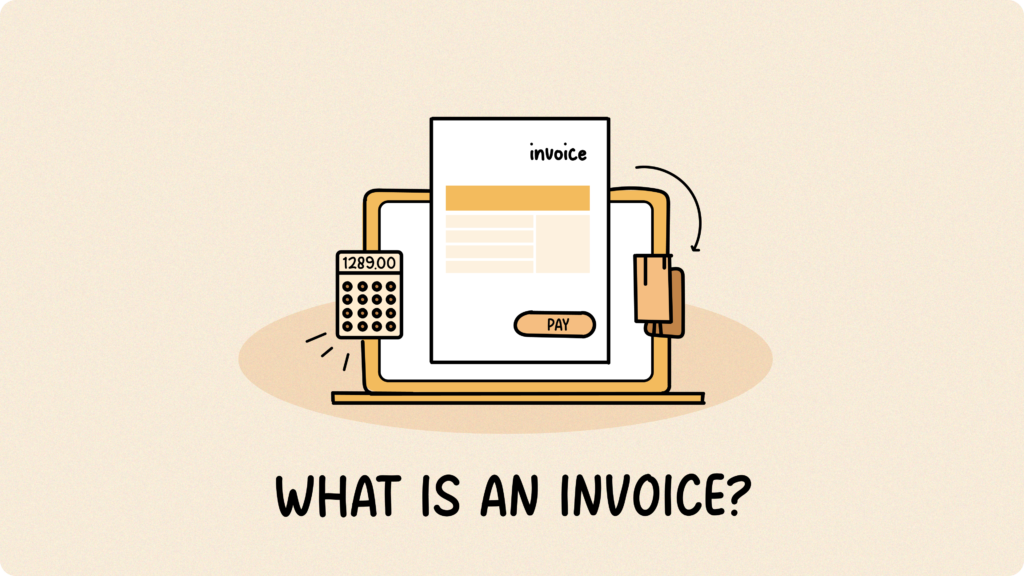
Getting paid on time doesn’t have to be a struggle! Creating clear and professional invoices is the first step towards reliable income. In this article, you’ll learn exactly what an invoice is and how to create one that helps you get paid faster. Table of Contents What is an Invoice? An invoice is a formal document you send to customers requesting payment for the goods or services you’ve provided. It provides a detailed breakdown of the costs involved, including individual items or services, quantities, rates, and any applicable taxes or discounts. It tells your customer everything they need to know to pay you by the specified due date. It’s important to remember that invoices are different from quotes (estimates of cost) and receipts (proof of payment). Creating an Effective Invoice: A Step-by-Step Guide with Sample Want to get paid faster and keep things running smoothly with your clients? Here are some key best practices to keep in mind, referencing the sections you’ll typically find on a professional invoice like the one below: Top Tips for Smoother Invoicing Want to make invoicing easier for both you and your clients? Here are some key best practices to keep in mind: What’s Next? Invoicing doesn’t have to be complicated or time-consuming, and it definitely shouldn’t stand between you and getting paid. By creating clear, professional invoices and following a few simple best practices, you can reduce delays, avoid misunderstandings, and maintain smoother relationships with your clients. Start creating your next invoice with confidence. Fynlo offers professional templates and flexible editing tools to help you build, send, and track invoices that get you paid faster. Find out more about Fynlo and see how easy invoicing can be.
5 Areas You Need to Automate Your Finance
It’s 9 in the morning, and after that first essential cup of coffee, the busy day begins. You gather all those slips of paper and digital documents, which already feels like a full task in itself. After carefully reviewing every detail, you finally finish creating invoices, recording financial transactions, and confirming payment statuses. Before you know it, it’s almost noon. The tedious accounting tasks have already consumed half your day, and you’re still not finished. Does any of this sound familiar? When you’re handling finances manually, things can quickly pile up, leading to those frustrating errors, the anxiety of delayed payments, and that constant feeling of your valuable time and energy just disappearing. If this resonates with your experience, read on to discover the power of automated finances and invoicing, especially when integrated with your accounting software and invoicing software. Table of Contents Is Your Manual Finance Process a Struggle? Here’s a quick check to see if automated finances might be necessary for you: If you recognize two or more of these pain points, you’ll likely be eager to learn more about what automated finances can offer: Don’t worry, these struggles are common. In fact, you’re like the majority of small businesses and freelancers still navigating the complexities of manual finances. Let’s explore how automation can change that. The Power of Automated Finances and Invoicing Automated finances and invoicing use technology to handle everyday financial tasks. This includes things like creating invoices, sending payment reminders, tracking payments, and managing cash flow – without needing you to do it all manually. It replaces time-consuming spreadsheets, repetitive data entry, and paper-heavy processes with smooth, digital workflows. Essentially, financial automation lets your financial tasks run like a well-oiled machine in the engine room, operating consistently without constant attention. This ensures invoices go out on time, reminders are sent automatically, and financial data is recorded accurately, all without you having to chase. Why It’s Powerful Key Areas of Financial Automation Financial automation goes beyond invoicing. It touches nearly every part of your financial workflow. When routine tasks are handled by smart systems, you save time, reduce errors, and gain clearer insights. Your Action Plan for Financial Automation Ready to move beyond the manual invoicing process? Here’s a simple roadmap to get you started: Ready to Streamline Your Financial Workflow? Let’s talk. We’ll help you find the right automation tools, like invoicing systems that integrate directly with your accounting platform, simplify your process, and set your business up for scalable success.
20 Common Accounting Terms for Freelancers
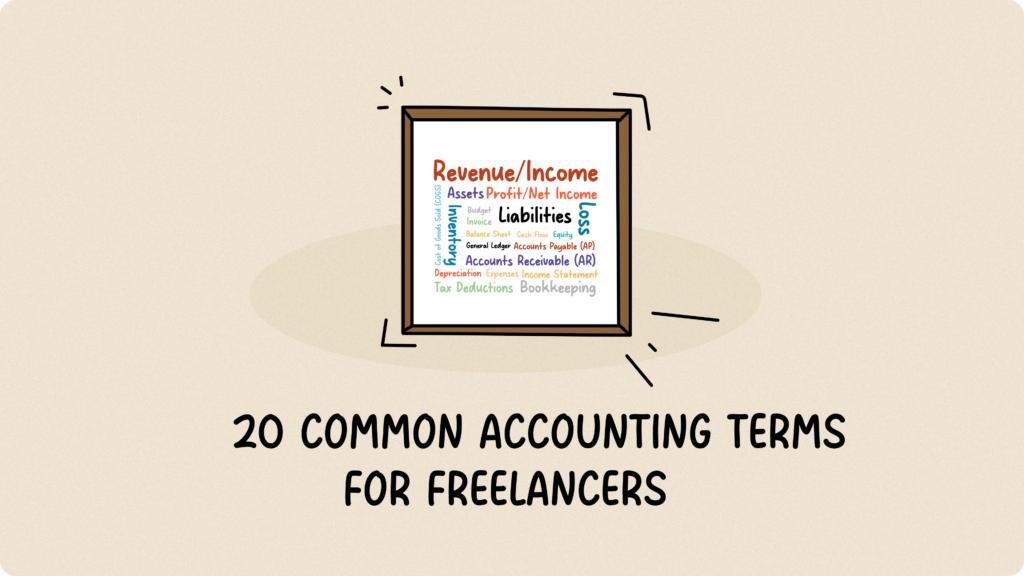
Running a business, big or small, means dealing with numbers. But for many of us with not much accounting background, those accounting terms can feel like a foreign language. Here’s the thing, Go Remotely’s Accounting Statistics say that 60% of small business owners don’t feel knowledgeable about finances and accounting. Don’t worry, you’re not alone. This guide breaks down 20 essential accounting terms every freelancer or small business owners needs to know. Let’s make sense of the numbers together. Your Financial Glossary Let’s dive into each term, starting with: 1. Revenue/Income Revenue is simply the total money your business brings in from sales or services. Think of it as your gross income, before you subtract any expenses. 2. Expenses Expenses are what you spend to keep your business running and generate revenue. Here are the main types: 3. Profit/Net Income Profit is essentially the financial gain your business achieves when your revenue, the money you bring in, surpasses your expenses, the money you spend. To put it simply, it’s what you get to keep. So, for example, if your business generated $10,000 in revenue and you incurred $6,000 in expenses, you’d end up with a profit of $4,000. 4. Loss A loss is the opposite: when your expenses are higher than your revenue. If you spent $8,000 and only made $5,000, you’ve got a $3,000 loss. This trend is not sustainable in the long term. 5. Assets Assets are anything your business owns that has value, from cash and equipment to your laptop or even your website and intellectual property. 6. Liabilities Liabilities are what your business owes to others, like loans, supplier payments, and credit card balances. 7. Equity Equity is essentially your net worth in the business. It’s what would be left if you sold all your assets and paid off all your debts. 8. Cash Flow Cash flow is the movement of money in and out of your business over a period of time. It’s about having enough cash on hand to pay the bills. Even profitable businesses can struggle with poor cash flow. (Check out our blog on Cash Flow Projection!) 9. Accounts Payable (AP) Accounts Payable (AP) represents the money your business owes to suppliers or other creditors for goods or services received but not yet paid. For instance, if you’ve received inventory or supplies on credit and haven’t paid the invoice yet, that amount is considered Accounts Payable. 10. Accounts Receivable (AR) Accounts Receivable (AR), on the other hand, is the money your customers owe your business for goods or services you’ve already delivered or provided. It’s the opposite of Accounts Payable; it’s money coming in. For example, if you’ve sent an invoice for $500 for services rendered and the customer hasn’t paid yet, that $500 is an Accounts Receivable. It’s important to track AR carefully, as it directly impacts your cash flow and ability to cover your own expenses. 11. Inventory Inventory refers to the goods your business holds for sale. It’s the items you have on hand, ready to meet customer demand. In essence, effective inventory management is crucial. You don’t want to run out of stock and lose sales, but you also don’t want too much stock sitting around, which leads to waste and ties up your capital. 12. Depreciation Depreciation is the gradual loss of value of your assets over time, like a restaurant oven getting older. It’s recorded as an expense on your income statement. 13. Cost of Goods Sold (COGS) COGS is the direct cost of producing your goods, including materials and labor. For a restaurant, it’s the cost of ingredients and food preparation. For an online shop selling handmade crafts, it’s the cost of raw materials like fabric and yarn, plus the labor involved in creating the finished products. 14. Balance Sheet A balance sheet is a financial picture of your business at a specific moment, showing what your business owns (your assets), who your business owes money to (your liabilities), and how much you, the owner, have invested (your equity). It’s based on the equation: Assets = Liabilities + Equity. (Learn more about balance sheets here.) 15. Income Statement An income statement shows your business’s revenue, expenses, and profit or loss over a specific period (e.g., a month or a year). It tells you how well your business performed during that time. So, how does it differ from a balance sheet? Well, a balance sheet provides a snapshot of your business’s financial position at a specific moment, while the income statement focuses on your performance over time. They work together to give you a full picture of your financial health. 16. General Ledger The general ledger is the comprehensive record that organizes all your business’s financial transactions. Imagine it as a detailed logbook of every financial event, categorized by type, such as sales, expenses, and asset changes. This organization makes it easy to see the complete picture of your business’s financial activity and is the backbone of your accounting system. 17. Tax Deductions Tax deductions are expenses you can subtract from your income to lower your tax bill. (Want some crazy tax deduction examples? Check out these approved deductions!) 18. Budget A budget is your financial plan for a future period, showing your estimated revenue and expenses. It’s usually re-evaluated regularly to ensure it remains accurate and reflects the current state of your business. 19. Invoice An invoice is a bill you send to your customers for goods or services you’ve provided. It details what they owe you and when it’s due. 20. Bookkeeping Bookkeeping is the essential process of recording and organizing your business’s financial transactions. It’s about keeping a detailed record of every dollar that comes in and goes out, like customer payments and vendor bills. While it used to be done in physical ledgers, modern bookkeeping is largely handled by digital software, making it more efficient and accurate. So, there you have it, 20 accounting terms you need to know as
10 Signs of a Bad Bookkeeper to Absolutely Avoid
Whether you’re a startup or a growing small business, knowing your financial status is key to keeping your business on track. Whether you work with bookkeeping software that offers support, a part-time bookkeeper, or external accountants, it’s crucial to ensure they are doing their job properly, making your life easier, not harder. Good bookkeepers are your financial peace of mind, keeping things organized and making sure you are compliant. But bad ones can drain your profits and intensify your tax nightmares. Is your bookkeeper the right fit? Read on for 10 troubling signs that it may be time to find a new bookkeeping solution. 10 signs of a Bad Bookkeeper Why Fynlo is a Trusted Solution If you’ve recognized one (or more) of the signs of a bad bookkeeper in your current service, it’s time to consider a reliable alternative. At Fynlo, we understand the challenges of financial management firsthand. That’s why we’ve built an intuitive platform designed to simplify your financial life and put you back in control. Fynlo provides access to seasoned accounting professionals. Our junior accountants bring over five years of experience, while our senior accountants boast more than ten years, most honed at top-tier firms like the Big Four, Baker Tilly, BDO, and Grant Thornton. We also prioritize confidentiality and data security. Every client relationship includes a signed Non-Disclosure Agreement (NDA), so your sensitive financial data is protected at all times. Here’s how Fynlo can benefit your business: Click here to schedule a call with our expert and take the stress out of bookkeeping. Fynlo team can handle everything from categorizing your transactions and reconciling your accounts to delivering precise, tax-ready financial statements.