
8 Free QuickBooks Alternatives for 2026: Maintaining Financial Clarity Without the Subscription
Running a micro-business or a growing freelance operation means constantly balancing costs against value. You know you need professional accounting software—you need reports, tax compliance, and clean books. Yet, paying a monthly subscription for QuickBooks or Xero when your income is still irregular can feel like an unnecessary burden. You’re looking for a free alternative, but the search can be overwhelming. There are dozens of tools out there, and finding one that is truly free and powerful enough for a real micro-business is a challenge. The right tool is a strategic investment; it saves you time and ensures you build the solid financial foundation you need for future growth. Here, we review the top genuinely free alternatives available today. We look at their core features, limitations, and help you find the best starting point for your micro-business. Note: Fynlo is developed and operated by our team. We aim to keep this review entirely fair and balanced, evaluating all platforms purely on their documented features, limitations, and operational suitability. In this Article 8 Platforms at a Glance Functional Limits of Each Free Plan These platforms all offer a permanently free tier, making them excellent starting points for sole traders and service-based freelancers. Software Primary Free Plan Name Ideal Use Case Key Free Limitations Wave Starter Plan North American Micro-Businesses Many automated bookkeeping features, including bank connection functionality, are reserved for the Pro plan; Receipt scanning is available as a paid add-on or included with Pro Zoho Books Free Plan High-Growth Small Teams Revenue limits (typically <$50k USD / £35k UK, depending on region and eligibility rules) QuickFile XS, S, and M UK Low-Volume Transactions Limited to 1,000 accounting entries (nominal ledger postings) per year Pandle Pandle Free Simplified Bookkeeping Automated bank feeds reserved for paid version Fynlo Forever Free Global / Multi-Currency Restricted to 20 monthly invoices Manager.io Desktop Edition Privacy & Offline Power Users No cloud access or mobile application Akaunting Standard (Self-Hosted) Tech-Savvy Owners Advanced modules and bank feeds carry extra costs ZipBooks Starter Tier Digital Service Providers Restricted to a single user and basic reporting Strengths and Constraints of Each Platform 1. Wave Wave has established itself as a leading choice for micro-businesses in the United States and Canada, reporting support for more than 5.9 million small business owners since 2009 (company data, accessed May 2026). It carried approximately a 4.4/5 rating on G2 as of May 2026 and remains popular due to its lack of caps on the number of customers, invoices, or transactions. The “Starter Plan” provides a full double-entry accounting system at no cost. However, it is important to note that as of 2026, Wave has moved several core features to its “Pro” tier. Many automated bookkeeping features, including bank connection functionality, are now reserved for Pro users in most cases. Transaction data may therefore need to be manually uploaded via CSV or Excel files. Receipt scanning is available as a separate paid add-on on the free Starter plan, or included at no extra cost for Pro users. Certain invoice customization options also require a paid subscription. Wave generates revenue primarily through payment processing fees, making it a viable long-term solution for businesses that accept credit card payments through the platform. 2. Zoho Books Zoho Books is part of a much larger ecosystem of business software, giving it a powerful advantage in scalability. It currently held approximately a 4.6/5 rating on G2 and a 4.7/5 rating on SoftwareSuggest as of May 2026. The “Free Plan” is generous but carries strict operational caps: it is limited to a single user plus one accountant, and allows for up to 1,000 invoices per year. Furthermore, the plan is only available to businesses that do not exceed an annual revenue threshold specific to their region, such as approximately $50,000 in the USA or £35,000 in the UK. For businesses under these limits, Zoho offers sophisticated features including a dedicated client portal and multi-lingual invoicing. However, more advanced requirements like multi-currency handling and automated bank reconciliation are reserved for the paid tiers starting at $20 per month. 3. QuickFile QuickFile is a feature-rich solution that is highly regarded for its flexibility, especially within the UK market. It carries a 4.8/5 rating on Trustpilot as of May 2026. The software is permanently free for businesses that maintain fewer than 1,000 accounting entries (nominal ledger postings) in a rolling 12-month period. Unlike many free competitors, QuickFile includes full multi-currency support and MTD-compatible VAT filing within its free tiers (XS, S, and M). If a business exceeds the 1,000-transaction limit, an annual fee of £60 plus VAT applies. It also offers a “Power User” subscription for approximately £54 + VAT per year, which unlocks advanced customization and white-labeling options for those requiring a more professional appearance. 4. Pandle Pandle is designed with a focus on simplicity, currently maintaining approximately a 4.7/5 rating on Trustpilot based on more than 800 reviews as of May 2026. It is particularly popular among UK-based sole traders due to its built-in Making Tax Digital (MTD) VAT compliance. The “Pandle Free” plan provides unlimited invoicing, customers, and core bookkeeping features without a revenue cap. Its primary limitation is the lack of automated bank feeds; free users must manually import bank statements and categorize transactions. While it lacks some of the complex inventory and project management features found in larger platforms, its “Smart Automation” features (available in the £5/month Pro version) are designed to eventually reduce manual entry as the business grows. 5. Fynlo Fynlo is a specialized accounting tool designed for global freelancers and micro-businesses that require robust multi-currency reporting and project-level budget tracking. The “Forever Free” plan allows for up to 20 monthly invoices and includes income and expense tracking, budget variance analysis, and multi-currency reporting. Fynlo also includes automatic Foreign Exchange (FX) gain/loss calculations, which may be particularly useful for businesses working with international clients. The free tier supports access for one user plus one accountant. However, the free tier’s 20-invoice monthly cap may be restrictive for businesses with higher client volume. More advanced features, such as automated payment collection and advanced budgeting, are available in the paid Starter ($9/month) and Professional tiers. 6. Manager.io Manager.io provides a unique value proposition for businesses that prefer
QuickBooks Desktop 2023 Sunset: What Breaks, What Works, and Your Best Next Steps
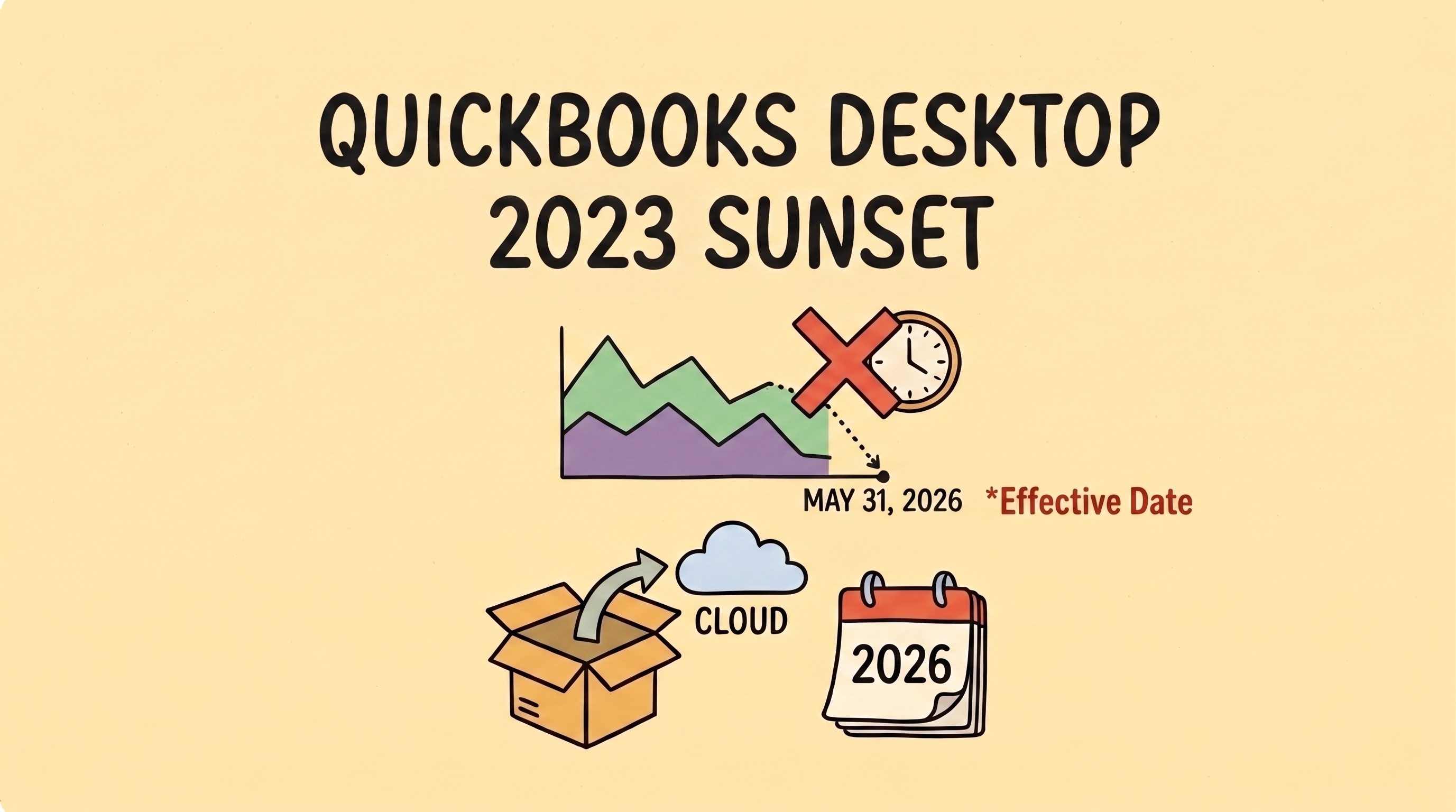
If your business runs on QuickBooks Desktop 2023, there’s a hard deadline approaching: May 31, 2026. This is the official “Service Discontinuation” deadline. While software updates are a routine part of business life, this sunset is particularly important because it marks a major shift in how Intuit supports its legacy products. For the hundreds of thousands of US small businesses still using Desktop, the next few weeks are a critical window to plan your next move. In Short: The May 31st Essentials What Actually Breaks on June 1st? It is a common misconception that your software will stop opening after the deadline. You can still access your data locally on your machine. However, the “pipes” that connect your records to the outside world will be cut. Intuit refers to this as losing Connected Services. 1. Automated Bank FeedsThe engine of most modern bookkeeping is the automatic download of transactions. After May 31, this connection is severed. You will be left entering every expense by hand or manually importing bank files—a slower, manual process that is more prone to data entry errors. 2. Integrated Payroll & PaymentsIf you handle payroll within the software, it will stop calculating federal and state taxes and won’t process direct deposits. Similarly, integrated payment processing will deactivate. While Intuit provides instructions for customers to pay you through other means, the seamless “click-to-pay” workflow that helps you get paid faster will be broken. 3. Security and Live SupportSafety is the most critical factor. After May 31, Intuit will no longer provide security patches for the 2023 version. Furthermore, their live technical support teams will no longer be authorized to help with file corruptions or 2023-specific issues. Evaluating Your Options: A Decision Framework Since Intuit shifted to a subscription-only model in late 2021, the landscape for Desktop users has changed. Use this framework to decide which path fits your specific needs. If your business… Your best path is likely… The Reality Check Has complex inventory or deep job-costing needs. QuickBooks Desktop Enterprise This is a “rolling update” model, not a new yearly release. It is powerful, but prices rose ~10% in early 2026. Wants continuity for 12–18 months. QuickBooks Desktop 2024 This is the final version for Pro/Premier Plus.Support officially ends September 30, 2027. Wants standard cloud access. QuickBooks Online (QBO) A major shift in UI.Caution: Depending on your plan, the migration tool may only carry over two years of history. Wants simplicity and high automation. A Modern Alternative Best for those who find legacy systems too feature-heavy for their actual needs. The Strategic Path Forward: Moving Beyond Legacy Workflows The “QuickBooks Sunset” is the perfect moment for a bit of operational honesty: Is your current system actually serving you, or are you just used to its quirks? Staying on a discontinued system for the sake of familiarity often costs more in manual labor and security risk than the migration itself. The goal for your next system shouldn’t just be “replacing what I had.” It should be about finding a workflow that removes the “financial fog” and automates the repetitive tasks that drain your mental bandwidth. Whether you move to the cloud or stick with the final Desktop version, make sure your choice rewards your hard work instead of creating more manual “to-do” lists. About the Author Isabella Jones started her career at Deloitte, where she worked on tax compliance for some of the country’s fastest-growing companies. She later joined Fynlo as Senior Financial Strategist, bringing that experience to freelancers and small business owners who need practical financial guidance without the corporate complexity. With an Accounting degree from Villanova University, Isabella focuses on making financial planning easier to understand and apply in day-to-day business. She works closely with freelancers and small businesses on areas like taxes, cash flow, and building more stable financial systems.
Why “Cheap” Bookkeeping is the Most Expensive Risk Your Business Can Take
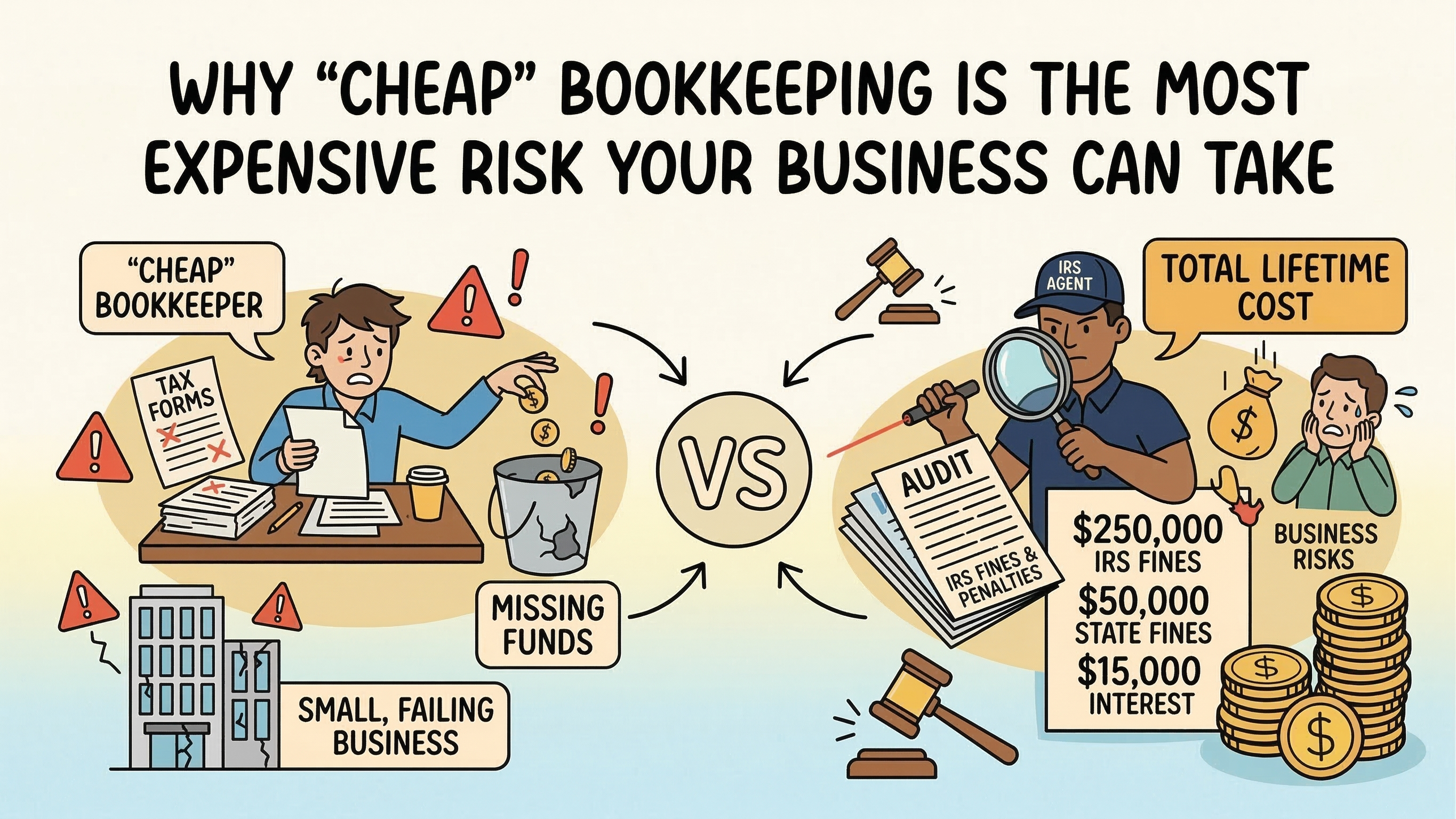
TL;DR: A growing trucking company hired a budget bookkeeper to save on overhead. Two years later, the business was insolvent due to nearly $300,000 in unremitted payroll taxes and IFTA fraud. This post-mortem explores the “Price of Cheap” and the specific red flags that preceded a total business collapse. In this Article Why “saving money” on bookkeeping backfires It started with a simple desire to protect the bottom line. As the owner of a growing trucking service, John knew that every cent was spoken for. Between rising diesel prices, insurance premiums, and constant fleet maintenance, the overhead was suffocating. When he found a local bookkeeper who promised to handle the entire operation for a few hundred dollars a month—roughly a fifth of what established firms quoted—it didn’t feel like a risk. It felt like a win. For the first eighteen months, the “win” seemed real. The reports arrived on time, the bank balances looked healthy, and the bookkeeper was always a friendly voice on the phone. John used the “saved” money to buy a new rig and hire two more drivers. He was scaling. He thought he was safe. The early warning signs John missed The first sign of trouble wasn’t a roar; it was a whisper. John received a notice from the state regarding a discrepancy in his International Fuel Tax Agreement (IFTA) filings. When he questioned his bookkeeper, the answer was smooth: “It’s just state bureaucracy, John. They probably lost a page. I’ll send a corrected copy.” A month later, a second notice arrived—this time from the IRS regarding payroll tax underpayments. Again, the bookkeeper had a plausible explanation. He blamed a software “glitch” and promised it was handled. In the fast-paced world of logistics, where trucks run 24/7, John took him at his word. He had a fleet to manage; he didn’t have time to audit the auditor. When the bookkeeper went radio silent The “glitches” turned into a nightmare when the IRS triggered a formal audit. For the first time, John heard a flicker of panic in his bookkeeper’s voice. Then came the silence. Voicemails went unreturned. Emails began to bounce. When John finally drove to the bookkeeper’s small rented office, he found the lights off and the desk cleared. The “affordable” professional had vanished, leaving behind three years of digital records that were nothing more than a house of cards. What we found when we looked at the books When a reputable accounting firm finally stepped in to perform the forensic cleanup, the reality was horrifying. The “professional” reports John had received every month were complete fabrications. The bookkeeper hadn’t been filing the returns at all. Instead, he was making the bare minimum payments to the IRS—just enough to keep the automated “Final Notice” letters from being triggered—while pocketing the remainder of the tax escrow money. By the time the audit was finished, the bill was staggering: The penalties and interest alone were more than a year’s worth of profit. The business—the dream John had spent a decade building—was legally and financially insolvent. He had to sell his fleet and close his doors. How to spot a bad bookkeeper early If you see these signs, investigate immediately: Comparing budget services vs. professional firms To understand how this happens, we have to look at the math. A “cheap” service is often cheap because it lacks the multi-layer oversight and insurance that protects a business owner. Expense Category Budget “Solo” Bookkeeper Established Professional Firm Typical Monthly Fee $250 – $400 $1,200 – $2,500 Staffing Structure One person (no backup) Team of CPAs & Specialized Staff Internal Controls None (they hold the keys) Multi-person review & verification Compliance Liability High (you are responsible) Low (covered by errors/omissions) Total Cost of Ownership Infinite Risk Predictable Overhead Protecting your business John’s story is a cautionary tale, but it’s one that can be avoided. Before you entrust your life’s work to someone, do your due diligence. Check credentials, call references, and never hand over the reins completely. Maintain oversight by reviewing your financial statements monthly and ensuring you have “view-only” access to your tax accounts. The most expensive service you can buy is the one that doesn’t actually do the job. About the Author Isabella Jones started her career at Deloitte, where she worked on tax compliance for some of the country’s fastest-growing companies. She later joined Fynlo as Senior Financial Strategist, bringing that experience to freelancers and small business owners who need practical financial guidance without the corporate complexity. With an Accounting degree from Villanova University, Isabella focuses on making financial planning easier to understand and apply in day-to-day business. She works closely with freelancers and small businesses on areas like taxes, cash flow, and building more stable financial systems.
Is Your Business Actually Profitable? Revenue vs. Income Explained
The 30-Second Summary Revenue represents the total volume of sales your business generates, while income is the actual profit remaining after all obligations—including operating costs, taxes, and interest—are met. High revenue indicates market demand, but only high income ensures long-term business sustainability. To grow effectively in 2026, founders must prioritize their efficiency ratio over top-line sales figures. In this Article Why Looking at General Expenditure Is Not Enough It is a common mistake to look at expenses as one large bucket. While tracking total expenditure tells you how much you spent, it doesn’t tell you where the business is failing. By breaking income into three distinct layers, you can diagnose the specific health of your business model. If you only look at the bottom line, you might see a loss and assume you need to cut staff. However, a three-layer analysis might reveal that your staff is efficient, but your raw material costs have risen, meaning you actually need to raise your prices, not reduce your headcount. The Three Layers of Financial Diagnosis 1. Gross Income (The Product Filter) Formula: Revenue – Cost of Goods Sold (COGS) This measures how much profit you make on the actual item or service sold before any overhead is considered. 2. Operating Income (The Management Filter) Formula: Gross Income – Operating Expenses (OPEX) This accounts for the costs of staying in business: rent, payroll, software, and marketing. 3. Net Income (The Owner Filter) Formula: Operating Income – Taxes and Interest This is the final residue, the money that actually belongs to the shareholders. In professional reporting, the terms Income, Profit, and Net Income are used interchangeably to mean exactly this: what remains after every single expense is paid. Common Misconceptions About Financial Growth How to Maximize Your Actual Profit To drive profitability in the current economic climate, consider these advanced financial levers that move beyond basic cost-cutting. 1. Prioritize High-Quality Revenue Not all sales are equal. Sophisticated founders track the Contribution Margin by Customer to identify which clients are actually driving profit. You may find that your top 10% of customers produce 80% of your income, while the bottom 20% actually cost you money in support and custom work. Scaling your bottom line often involves parting ways with low-margin clients to focus on high-efficiency revenue. 2. Test Your Pricing Elasticity Many businesses leave significant income on the table by failing to test price increases. Because a price increase has zero associated production costs, it flows directly to your net income. Even a small 5% increase in price can often lead to a 20–30% boost in profit, yet it is the lever founders are most afraid to pull. 3. Optimize Your Working Capital Cycles Profitability is often choked by the gap between paying your suppliers and getting paid by customers. By shortening your Days Sales Outstanding (DSO) – the time it takes to collect payment – you increase your liquid income without needing a single new sale. Even a five-day improvement in collections can significantly stabilize your cash position. 4. Monitor Your Labor Efficiency Ratio Instead of just looking at total payroll, calculate your Labor Efficiency Ratio (LER): your Gross Profit divided by your Total Labor Cost. This tells you exactly how much gross profit every dollar of salary produces. If your LER is dropping while you hire, your management overhead is likely outstripping your production. 5. Audit Subscription Creep and Shadow IT Industry benchmarks suggest that an average 30% reduction in software expenses can be achieved by eliminating underutilized or redundant tools, a phenomenon often called Shadow IT. Perform a zero-based tech audit: review every recurring subscription. You will frequently find you are paying for licenses for tools your team abandoned months ago or for multiple platforms that perform the same function. The Shift from Growth to Efficiency In the earlier stages of a business, it is natural to obsess over revenue. High sales figures feel like validation that your idea works. However, as a business matures, the focus must shift from how much you can sell to how much you can keep. Financial health is not found in the total volume of money passing through your accounts, but in the efficiency of the “filters” you have built. By diagnosing your business through these three layers, you stop guessing where your money is going and start making data-driven decisions. Whether you need to raise your prices, trim your software stack, or restructure your taxes, the path to a sustainable 2026 starts with looking past the top line. About the Author Isabella Jones started her career at Deloitte, where she worked on tax compliance for some of the country’s fastest-growing companies. She later joined Fynlo as Senior Financial Strategist, bringing that experience to freelancers and small business owners who need practical financial guidance without the corporate complexity. With an Accounting degree from Villanova University, Isabella focuses on making financial planning easier to understand and apply in day-to-day business. She works closely with freelancers and small businesses on areas like taxes, cash flow, and building more stable financial systems.
Say Goodbye to Messy Word Docs: 5 Free Ways to Create Professional Invoices
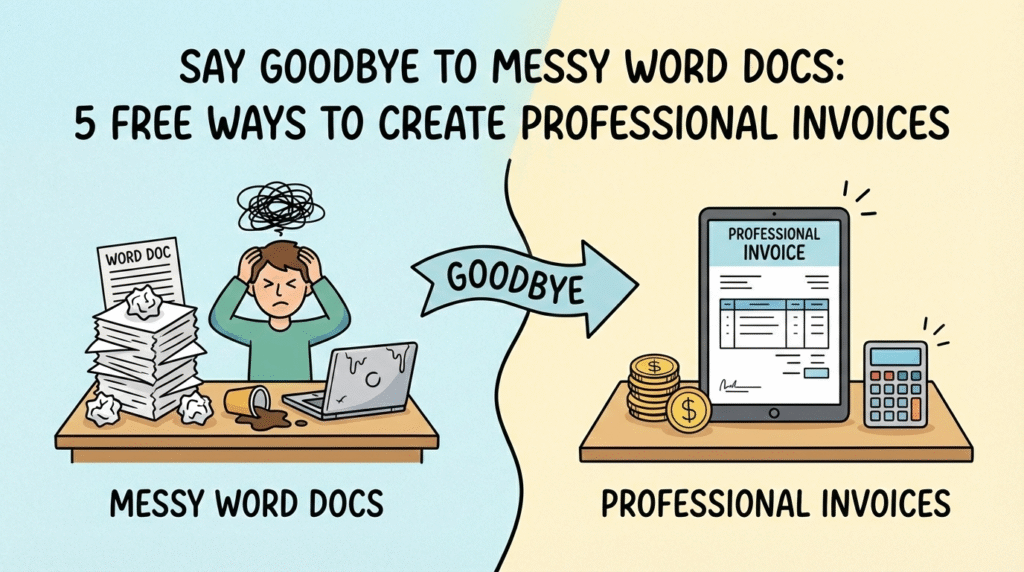
You’ve just exported the final file, closed the 17 browser tabs you’ve had open for a week, and hit “Send” on the final deliverable. You lean back in your chair, take a deep breath, and feel the weight of the project lift off your shoulders. But before you can fully celebrate, there is one last administrative hurdle: asking for the money. For many of us, this part feels awkward. We rush through it, typing a few lines into a document and hoping it looks “official enough.” But the reality is, your invoice is the final handshake of your project. It’s the last impression you leave. Sending a polished, branded invoice does more than just look good—it changes the power dynamic. Data suggests that you are 3x more likely to get paid simply by adding a company logo to your invoice. Psychologically, a sharp invoice signals, “I take my business seriously, and I expect you to do the same.” Here are 5 completely free ways to upgrade your invoicing today, ranked from the simplest quick-fix to fully automated systems. In this article 1. Free Online Invoice Generators Sometimes you just need to send one invoice, right now. You don’t want to sign up for a new platform or remember another password; you just need a PDF that doesn’t look like it was made in 1999. Quick Tip: Look for generators that allow you to change the currency symbol if you are working with international clients. Sites like Invoice Generator or Shopify are great places to start. 2. Google Docs & Sheets Templates If you are just starting out and want total control over every pixel, the Google Workspace gallery is likely your best friend. It is accessible, cloud-based, and you likely already use it for your actual work. Quick Tip: Always export as a PDF before sending. Sending an editable Google Doc looks unprofessional and allows clients to accidentally (or intentionally) change the figures. 3. Canva Templates Who says invoices have to be boring spreadsheets? If you are in a creative field—graphic design, social media management, or photography—your invoice is another piece of your portfolio. It should look as good as your work. Quick Tip: Create a “Master Template” in Canva so you don’t have to re-design it every time. Just duplicate the page and update the line items. 4. Stripe or PayPal Invoicing If your priority is getting money into your bank account fast, you might want to skip the PDF attachment entirely and send a digital invoice directly through your payment processor. Quick Tip: Enable “recurring invoices” if you have clients on a monthly retainer. The system will bill them automatically without you lifting a finger. 5. Dedicated Invoicing Software (Wave, Zoho, Fynlo) Eventually, manual templates and fees become a bottleneck. If you are sending more than 5 invoices a month, you need a system that automates your entire billing workflow—remembering your clients, numbering your invoices, and chasing payments for you. Quick Tip: With Fynlo’s Forever Free plan, you get a professional dashboard that tracks invoice views. This means a client can never use the excuse “I didn’t get the email” again, because you’ll know exactly when they opened it. Make Getting Paid the Easy Part Professionalism doesn’t have to cost money, but looking amateur will cost you opportunities. As your workload grows, tools that automate invoicing, reminders, and tracking can make a noticeable difference. Exploring a dedicated invoicing platform like Fynlo is a simple next step if you want fewer follow-ups and more predictable payments. Book a free demo to see how Fynlo might fit into your day-to-day.
Fund Accounting for Nonprofits: A 2026 Guide to Grant Compliance and Audit Protection

If you have successfully scaled your organization’s mission, you already know that landing a major grant is only half the battle. The real work begins when that money hits your bank account and the clock starts ticking on compliance. In 2026, donors and grantors are demanding more than just impact stories. They want surgical precision in how every dollar is tracked and spent. Most growing nonprofits reach a point where a single bank account is no longer enough. If you are still using one general ledger to manage three different restricted grants, you increase the risk of reporting inconsistencies that can attract additional scrutiny from regulators or auditors. Fund accounting provides the structural firewall you need to keep your tax-exempt status safe. Under U.S. nonprofit accounting standards (FASB ASC 958), organizations must clearly report how funds with donor restrictions are used. Implementing a proper fund accounting system helps ensure that reporting aligns with requirements found in filings such as IRS Form 990 and grantor financial reports. In this Article The Core Difference: Why Standard Bookkeeping Fails Nonprofits Standard accounting is built to show how much profit a company made. Fund accounting exists to prove accountability. Since your goal is mission delivery rather than the bottom line, your financial system must treat different revenue sources as separate entities. When a donor gives $10,000 specifically for a youth scholarship, that money cannot pay for office rent. In a standard setup, those dollars get buried in your general cash balance. With fund accounting, that $10,000 stays in its own self-balancing universe. This level of separation is what allows you to look a major foundation in the eye and prove exactly where their money went. This is why fund accounting is widely used by nonprofits managing multiple grants, donor-restricted gifts, or government funding. It creates a transparent structure that simplifies donor reporting and grant compliance. Beyond keeping your finances in order, fund accounting empowers your nonprofit to earn donor trust, attract funding, and advance your mission. By keeping finances clear and leveraging data, you can take your nonprofit to new heights. Categorizing Your Assets: The Three Tiers of Funds To keep your records clean, you must categorize every dollar based on the specific legal “strings” attached to it. Here is how that looks in practice. Modern nonprofit reporting standards refer to these as “Net Assets With Donor Restrictions” and “Net Assets Without Donor Restrictions.” However, many nonprofits and grant agreements still use the traditional terms “unrestricted,” “temporarily restricted,” and “permanently restricted.” Understanding both sets of terms helps nonprofit leaders interpret financial reports, grant agreements, and accounting guidance more accurately. Unrestricted Funds In modern nonprofit financial statements, unrestricted funds are reported as “Net Assets Without Donor Restrictions.” These are your most flexible assets, usually coming from general individual donations or fundraising events. You can use these to pay for salaries, utilities, or emergency repairs. Example: A $50 gift from a monthly donor that you use to pay the office internet bill. Temporarily Restricted Funds What were historically called “temporarily restricted funds” are now reported under “Net Assets With Donor Restrictions” when the restriction relates to time or purpose. These funds are earmarked for a specific timeframe or a specific project. Once the goal is met or the date passes, the restriction is “released” and the money moves into your unrestricted pool for general use. Example: A $25,000 government grant for a summer literacy program. These funds can only be spent on tutors and books through August; any leftover balance typically becomes flexible cash unless the contract requires its return. Permanently Restricted Funds Permanently restricted funds are also reported under “Net Assets With Donor Restrictions,” but they typically involve endowments where the principal must remain intact. These are typically endowments where the principal amount must remain untouched forever. The nonprofit is usually only permitted to spend the interest or investment income generated by that principal. Example: A $100,000 endowment established by a founder. You keep the $100,000 in a high-yield account and use the $4,500 in annual interest to fund a yearly community award. Compliance Risks: Mistakes That Trigger IRS Reviews The most frequent error we see is inconsistent allocation. If you change how you split overhead costs like rent or insurance halfway through the fiscal year, your reports will look unreliable. Professional fund accounting requires a fixed, defensible method for shared costs. Another major risk is delayed tracking. Waiting until the end of a quarter to log grant expenses makes errors almost inevitable. By the time you realize a restricted fund was used for a general expense, the damage is already done. For organizations receiving federal or large foundation grants, accurate allocation and documentation are particularly important because grantors often review financial reports alongside your IRS Form 990 or audited financial statements. Maintaining daily records is the only way to move your organization into a formal compliance category that carries a lower audit risk. Step-by-Step: Moving to a Formal Fund Structure Setting up a formal fund structure is a deliberate process. It involves more than just opening a new bank account. It requires reconfiguring your entire bookkeeping logic to prioritize transparency. 1. Conduct a Revenue InventoryStart by reviewing every grant agreement and major donation letter from the past year. You need to identify exactly which funds have a purpose restriction, such as building a new community center, versus a time restriction, like funds earmarked specifically for the 2026 fiscal year. 2. Update Your Chart of Accounts with DimensionsInstead of a flat list of expenses, you must transition to a multi-dimensional system. This means every transaction is tagged with a fund code and a functional code like Program, Management, or Fundraising. This setup allows your software to track a single invoice across multiple grants simultaneously, removing the need for side-spreadsheets that often lead to errors. 3. Define a Consistent Cost Allocation MethodEstablish a documented method for allocating shared costs such as rent, utilities, software subscriptions, or insurance across programs and grants. Many nonprofits allocate based on staff hours, square footage, or program budgets. Consistency is critical because auditors and grantors expect to see the same allocation methodology applied throughout the fiscal year. 4. Implement Grant-Level Expense TrackingEach grant or restricted
The 5 Biggest Accounting Trends That Will Define Business Survival in 2026
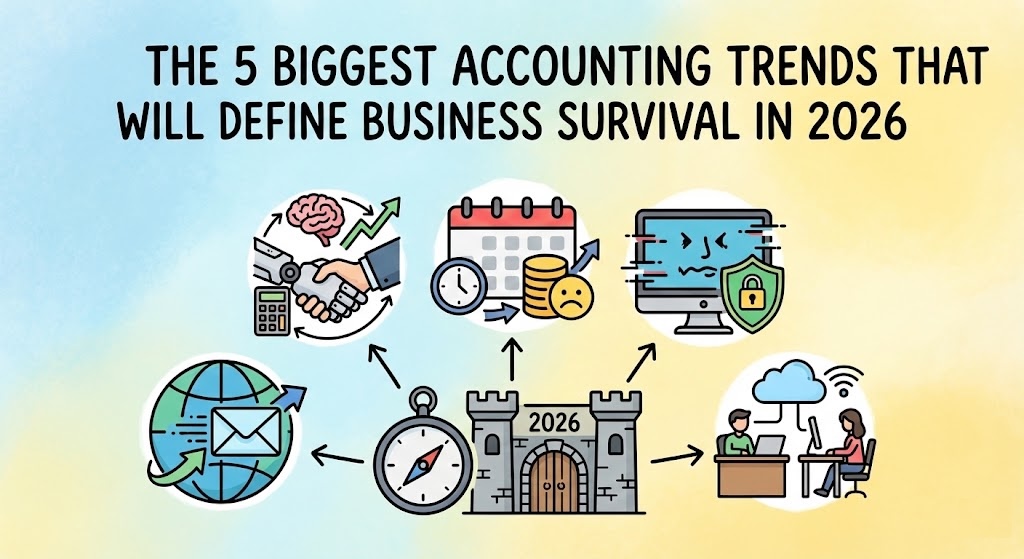
If you feel like the rules of doing business are changing faster than you can keep up, you aren’t alone. For freelancers and small business owners, 2026 is shaping up to be a turning point. We are finally moving away from the era of “I’ll get to that paperwork later” and into a world where automation is the standard and compliance is non-negotiable. We have dug into the latest government budgets and global industry reports to bring you the five biggest shifts hitting the accounting world in 2026. Here is what you need to know to stay ahead. In this article 1. Mandatory E-Invoicing Is Going Global First, let’s clear up a common misconception: E-invoicing is not just emailing a PDF. When you send a PDF, it is essentially a digital piece of paper—a human still has to open it, read it, and type the numbers into their system. True e-invoicing is data, not a document. It involves sending structured files (like XML) directly from your software to your client’s software (or the government’s), where it is read and processed instantly without human hands touching it. Governments love this because it closes tax gaps, and now they are making it the law across the globe. If you work with clients in these regions, your current method of invoicing might become obsolete. You will likely need software that generates these specific machine-readable formats automatically to ensure you can still get paid. 2. AI Will Supercharge Your Financial Productivity Ignore the doom-and-gloom headlines about robots taking jobs. In 2026, AI is less about replacing you and more about giving you your weekends back. The technology has matured from a “cool experiment” to a daily essential for cutting down busy work. 3. Late Filing Penalties Are Increasing Governments are getting smarter. They are using better data to spot mistakes faster, and the leniency we saw in previous years is disappearing. 4. The Rise of Deepfakes is Creating New Cybersecurity Risks Small businesses often think they are too small to be targeted by hackers. Unfortunately, as large corporations tighten their security, attackers are pivoting to smaller, easier targets using terrifyingly realistic tech. 5. Remote Work is the New Standard (But It’s Hybrid) The concept of having your accountant “down the street” is fading. Business owners are increasingly prioritizing talent and tech-savviness over physical proximity. Future-Proof Your Business with Fynlo The common thread across all these trends is technology. Whether it is meeting new e-invoicing mandates, staying on top of deadlines to avoid steeper penalties, or leveraging AI to save time, you need tools that evolve as fast as the world does. That is why we are excited to introduce the recently launched Fynlo AI. We built Fynlo AI to directly address the productivity and accuracy challenges mentioned above. It allows you to simply upload receipts or bank statements, and our engine takes over from there. Fynlo AI extracts the data, categorizes every entry, and updates your financial reports in real-time with 100% accuracy. No more manual data entry errors, no more late nights classifying expenses, and no more guessing where your business stands. Ready to get ahead of the 2026 trends? Schedule a demo today and experience the future of automated accounting.
The Ultimate Year-End Accounting Checklist for Small Business Owners
The end of the year isn’t just about wrapping projects; it’s the critical moment to finalize your finances, maximize every deduction, and ensure you’re compliant, no matter where your clients or operations are based. Skipping this process can lead to costly errors, audit triggers, or missed opportunities to save money. Let’s be honest: most small business owners would rather focus on clients than spreadsheets. But investing just a few focused hours now can save you weeks of cleanup, stress, and last-minute panic later Year-end accounting can feel like a marathon, but this structured checklist will help you stop scrambling, clean your books confidently, and kick off the new business cycle with peace of mind. Table of Contents Step 1: Define Your Timeline and Filing Deadlines Before you start any data entry, you must confirm your accounting year. For many small businesses globally, the fiscal year aligns with the calendar year (ending December 31st), which is standard for sole proprietorships and LLCs in the USA or freelancers in many parts of Asia. However, some countries or business structures, like many companies in the Philippines or large corporations worldwide, choose a different period, such as an April 30th or June 30th year-end. Once your year-end date is set, you need to immediately confirm your official tax filing and account submission deadlines with the relevant tax authority. For instance, in the UK, a private limited company that files its accounts more than 6 months late can face an automatic penalty of up to £1,500. Knowing your exact deadline well in advance gives you the power to plan properly and avoid unnecessary fines. Step 2: Ensure Complete Data Capture of All Records The foundation of accurate financial reporting is complete data. This cleanup phase requires you to meticulously gather all transaction records, ensuring every piece of the puzzle is accounted for. Make sure all your income is recorded, whether from invoices issued or direct payments received. Crucially, you must record every single expense. Go beyond the obvious software fees and office supplies to include less visible costs, such as home office expenses, mileage allowances, and depreciation. If you’re a global freelancer dealing with different currencies, confirm you’ve captured all foreign income and expenses, as missing these details can lead to understating your true cost of doing business. Step 3: Reconcile Every Bank and Payment Account Reconciliation is the process of matching every entry in your accounting system to your official statements. You must verify that the final balance in your ledger precisely matches the closing balance for the last day of the fiscal year across all your accounts: bank accounts, credit cards, and payment processors like PayPal or Stripe. During this review, you’re looking to clear up any discrepancies. This includes chasing any old deposits or checks that haven’t cleared the bank yet. If you find unexplained fees or transfers, allocate them now to the correct expense category. A clean reconciliation ensures your books are grounded in reality and ready for audit. Step 4: Value Inventory and Calculate Cost of Goods Sold If your business sells physical products, this step is mandatory. You need to conduct a physical count or stocktake of all products, materials, and supplies on hand at the close of the fiscal year. This value is critical because it directly determines your Cost of Goods Sold (COGS). An accurate COGS figure is essential for determining your gross profit and ultimately your net income. Any error here—either overstating or understating your inventory—will directly result in misstating your profitability and, therefore, your tax liability. This step requires precision and shouldn’t be guessed. Step 5: Update Fixed Assets and Post Depreciation Businesses rarely use their assets up in a single year, so you need to account for their ongoing wear and tear. Review all your Fixed Assets (like computers, machinery, or vehicles) and record any new purchases made during the year. The main action here is calculating and posting the depreciation expense. This non-cash deduction recognizes the expense of using an asset over its useful life, and it reduces your taxable income globally. Ensure you’ve applied the correct depreciation method (straight-line, declining balance, etc.) required by your local tax authority. Step 6: Resolve All Outstanding Client Invoices (Receivables) Before closing the books, you need a realistic picture of the money owed to you. For invoices you’ve issued but not yet received payment, list these as trade receivables. You need to analyze the likelihood of collection. Any invoices that are significantly overdue (e.g., 90 days or more) and clearly uncollectible should be flagged for potential bad debt write-off. Writing off bad debt is a legitimate accounting practice that helps clean your Accounts Receivable and can reduce your taxable income, although the specific rules vary by jurisdiction. Step 7: Record All Unpaid Bills (Accounts Payable) Accounting principles require you to record expenses in the period they were incurred, not just when you paid them. You must ensure you’ve recorded all vendor invoices and bills received before the year-end date, even if the payment isn’t due until the next year. Recognizing these trade payables gives you a more accurate picture of your true profitability and current liabilities for the year, adhering to the crucial matching principle of accounting. Failing to record these outstanding bills will overstate your profit and potentially lead to overpaying taxes for the closed year. Step 8: Handle Multi-Currency Gains and Losses If your business operates globally or uses multi-currency bank accounts, you face the complexity of foreign exchange (FX) fluctuations. When you finally convert foreign funds (like Euros or Pounds) into your home currency, the exchange rate will likely have changed since the invoice date, resulting in either a gain or a loss. You must calculate and record these realized gains or losses for the fiscal year. This is a critical step for compliance in global reporting, as tax authorities require accurate tracking of these figures. If exchange rates have been quietly eroding your revenue, check out our guide on managing
How AI Helps Prevent Errors in Financial Reporting
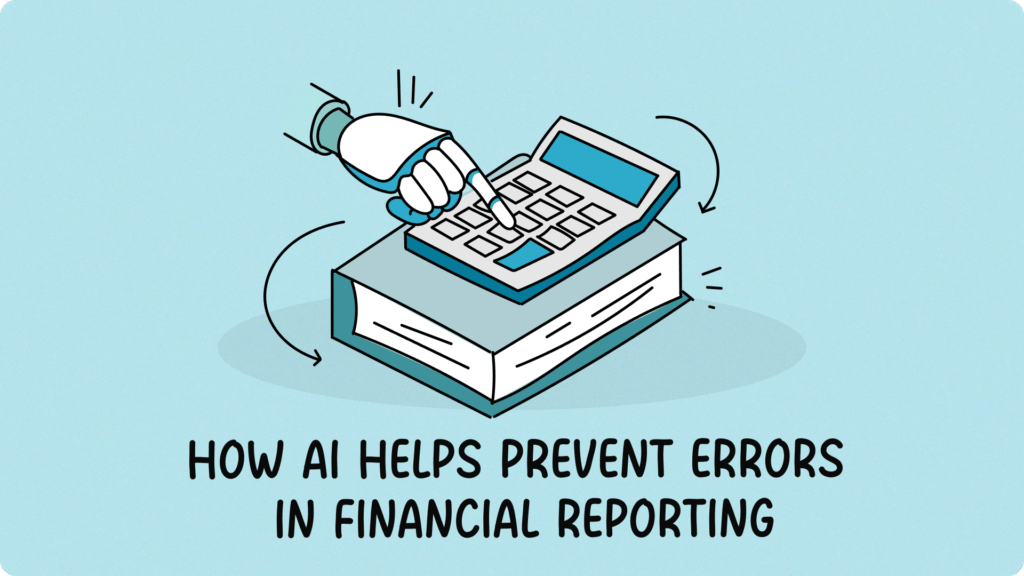
Even the most careful business owners make mistakes now and then. A duplicated entry, a missing invoice, or a miscategorized expense can quietly throw off your entire picture of profitability. The challenge isn’t just human error, but the sheer amount of detail involved in keeping financial records accurate every single day. That’s where Artificial Intelligence (AI) is making a meaningful difference. Modern accounting tools use AI to catch inconsistencies, flag unusual patterns, and automate repetitive checks that once took hours of manual review. The result is fewer errors, faster reporting, and greater confidence in your numbers. According to a 2024 analysis by GlobalFPO, about 58% of accounting firms had already adopted some form of AI to improve efficiency and accuracy in their workflows, with many reporting measurable gains in speed and error reduction. Whether you’re a freelancer managing multiple clients or a small business owner keeping an eye on growth, understanding how AI improves accuracy can truly transform the way you manage your finances. Here’s how AI-driven accounting systems help stop financial errors before they start. Table of Contents 1. Automated Data Capture Keeps Human Error in Check The first step to accurate reporting is clean data entry. Most financial mistakes begin right here: typos, missing receipts, or mismatched invoices. AI helps eliminate those weak spots by automating the capture process. Using Optical Character Recognition (OCR) and machine learning, AI can scan invoices, instantly pull out the right information, and record it automatically. For instance, if you snap a picture of a receipt, the system identifies the vendor, date, and amount, then knows how to categorize it correctly. This drastically reduces manual input and ensures consistency from the start. The fewer times you type something in, the fewer chances there are for mistakes to creep in. 2. Continuous Reconciliation Catches Discrepancies Early Traditionally, reconciliation happens once a month, often at the worst possible time when you’re already swamped trying to close the books. AI changes that by continuously comparing your bank, credit card, and ledger records in real time. If an entry doesn’t match or looks suspicious (like a surprisingly large transfer to a new vendor), the system immediately alerts you. That early detection allows you to fix small discrepancies right away, preventing them from distorting your final reports. This ongoing reconciliation also builds confidence: when you check your balances mid-month, you know they reflect reality, not last month’s lingering problems. 3. Smarter Categorization Improves Consistency Misclassifying transactions is one of the most common causes of inaccurate reporting. Recording a long-term asset as an expense, or putting a large software invoice in the wrong bucket, might seem minor, but over time, it adds up. With machine learning, your system learns your habits and applies them consistently. Over time, it recognizes how you typically categorize expenses and automatically suggests the right category. If something seems off, it flags the entry before it causes confusion. For example, if you consistently log software subscriptions under “Technology,” but a new one gets placed in “Office Supplies,” AI can prompt you to take another look. This small adjustment helps ensure your data stays clean and comparable month after month. 4. Anomaly Detection Identifies Hidden Irregularities Some financial errors are too subtle for the human eye to notice. Modern AI tools excel at spotting irregularities by scanning thousands of transactions and recognizing patterns that don’t align with your usual activity. Let’s say your company usually pays similar invoices between $300 and $500 each month. If one suddenly jumps to $2,000, AI will flag it instantly. Tools use this capability to quickly detect fraud, duplicates, or simple posting mistakes long before they show up in an audit. By catching irregularities early, you prevent small errors from snowballing into larger financial risks. 5. Predictive Analytics Helps Prevent Future Mistakes Once your data is accurate, AI can use it to look ahead. Predictive analytics combines machine learning with historical data to forecast cash flow, spending, and revenue trends. This matters because many reporting errors stem from rushed or reactive decisions. When you can see what’s coming, you’re less likely to make hurried, last-minute adjustments that lead to mistakes later. For example, if your AI tool predicts a potential cash shortfall next month, you can delay a large planned purchase or follow up on overdue invoices sooner. It’s not just about accuracy now, it’s about making smarter decisions for future accuracy. 6. Automated Compliance Reduces Regulatory Risks One of the most stressful parts of financial reporting is compliance: making sure you’re meeting tax laws, filing deadlines, and recordkeeping requirements. AI helps by embedding those rules directly into your accounting system. It can verify that invoices include all necessary information, apply correct tax rates automatically, and maintain detailed audit trails. Some systems even cross-check data against regional tax laws or detect missing documentation before you file. The result is fewer errors that lead to fines, late penalties, or audit headaches, giving you more confidence that your books meet every requirement. 7. Continuous Learning Makes Your System Smarter Over Time Perhaps the most powerful part of AI is that it learns and adapts. Each time you correct an entry or confirm a categorization, the system gets better at its job. This means your financial software doesn’t just automate; it customizes itself to your business. Over time, your AI assistant becomes more accurate, more efficient, and more aligned with exactly how you work. That learning loop reduces future mistakes, sharpens forecasts, and keeps your books reliable month after month. Final Thoughts AI is quietly redefining what accuracy means in accounting. By automating routine tasks, flagging issues in real time, and learning from your corrections, it prevents errors before they even start. For freelancers and small business owners, that means less time second-guessing numbers and more time focusing on growth. If you’re ready to bring clarity, confidence, and automation to your financial reporting, Fynlo can help. Our intelligent accounting tools combine smart automation with human-friendly design, helping you keep your books accurate and your business decisions informed. Book a quick chat with our team to learn how we can help streamline your reporting and reduce costly mistakes.
7 Essential Steps to Streamline Your Month-End Close Process

If you’ve ever found yourself juggling receipts, double-checking spreadsheets, and wondering where the last few hours went, you know that month-end can feel like a race you didn’t sign up for. You start the month with good intentions, but somewhere between chasing invoices and untangling bank statements, things start to pile up. You’re not alone. The month-end close is one of the most common pain points for freelancers, accountants, and small business owners. Yet, when done right, it doesn’t have to be a stressful ritual. A streamlined process helps you stay organized, confident, and in control of your finances: not just at the end of the month, but every day. Here’s how to make your month-end close smoother, faster, and more reliable with seven connected steps that build on each other for lasting efficiency. Table of Contents 1. Build a Consistent Closing Checklist Every smooth month-end close starts with a plan. A checklist keeps the process organized, consistent, and repeatable, so nothing falls through the cracks when things get busy. Here’s a sample checklist to guide you: Your checklist may vary based on your business, but the key is to have one that evolves with your needs. Over time, you’ll notice which steps can be simplified, automated, or delegated, making your close faster with each cycle. 2. Keep Your Books Updated Throughout the Month The easiest way to simplify your month-end is to avoid the end-of-month rush altogether. Instead of waiting to record and categorize transactions all at once, make bookkeeping a weekly habit. Dedicate short, focused sessions during the week to update your records, review income and expenses, and match receipts. By staying current, you reduce errors, eliminate the panic of missing data, and make the final close feel more like a confirmation step than a cleanup project. Think of it like tidying your workspace a little each day rather than cleaning it after a month; it’s faster, cleaner, and less stressful. 3. Reconcile Continuously, Not Just at Month-End Reconciliation is where your accounting data meets reality. Regularly matching your accounting records with your bank and credit card statements helps you spot discrepancies early and avoid unpleasant surprises. Instead of saving reconciliation for the final hours of month-end, do it weekly, or biweekly. Check that all deposits, transfers, and payments have been properly recorded. This habit saves you hours later and ensures your financial data is always ready for review. Continuous reconciliation creates momentum for your close. It turns what used to be a scramble into a series of quick, confident checks. 4. Automate the Routine to Focus on What Matters Once your process is consistent and your data stays current, the next step is automation. Manual entry is time-consuming, and prone to errors. Automation saves time and reduces risk. Adopt cloud-based accounting tools that automatically import transactions from your bank accounts, credit cards, and payment platforms. Many tools can even categorize expenses, send invoice reminders, and generate recurring journal entries. Integration is key. Connect your accounting system to tools you already use, such as payroll software, project management systems, or e-commerce platforms. The fewer manual steps you need to repeat each month, the faster and more accurate your close becomes. 5. Review Financial Statements with Insight By this stage, your numbers are clean and reconciled. Now it’s time to turn data into understanding. Generate your key reports: But don’t just run the reports and move on. Review them with intention. Are your expenses trending higher than expected? Are some clients or products consistently more profitable? Is your cash position improving? A strong month-end close isn’t just about closing the books; it’s about opening your eyes to opportunities and risks before they grow. 6. Document Adjustments and Keep an Audit Trail Even the best systems need adjustments. Maybe an invoice arrived late, a transaction was miscategorized, or a refund needs to be recorded. What matters most is that every change is documented clearly. Keep notes within your accounting software or in a shared record explaining what was adjusted and why. This creates a transparent audit trail, which not only protects you in case of an audit but also helps you (and your team) understand the context behind every entry next month. Documenting adjustments transforms your close from a reactive scramble into a learning process that gets sharper each time. 7. Reflect, Refine, and Repeat Once you’ve completed the close, take time to evaluate what worked and what didn’t. A streamlined close isn’t something you achieve once—it’s something you improve continuously. Ask yourself a few quick questions: Use your answers to refine your checklist, adjust your timeline, or adopt new tools that help you stay ahead. Month-end should feel like a well-practiced rhythm, not a recurring fire drill. Run your Business with Confidence A clean, efficient month-end close gives you accurate numbers and, most importantly, peace of mind. You don’t need to be an accountant to have control; you just need the right process, discipline, and the right tools. If you’re ready to ditch the spreadsheets, Fynlo is that tool. Ready to automate busywork, gain financial clarity, and close your books faster? Schedule a quick meeting with us today to see Fynlo in action!