Understand Your Spending with
Smart Categories
Organize every expense into clear categories so you always understand your business spending.
No Credit Card Required!
Say Goodbye to Disorganized Expenses
Most freelancers and small business owners struggle to keep expenses organized consistently. Transactions pile up, categories get missed, and financial reports become harder to trust.
Without proper categorization, you end up:
- Manually sorting expenses during tax season
- Missing deductible expenses
- Mixing personal and business expenses
- Wasting time cleaning spreadsheets
WHY CHOOSE FYNLO
Everything You Need to Organize Business Expenses
Smarter ways to organize, classify, search, and report your transactions so you can keep your finances accurate, clear, and easy to manage.
Flexible Classification
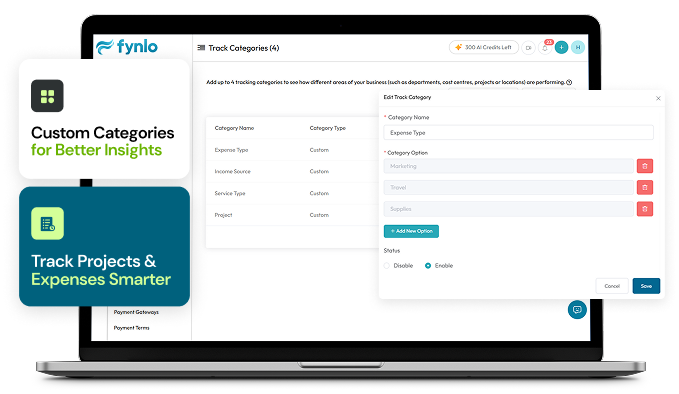
Assign categories by project, client, branch, or department to keep transactions organized and easy to track.
Filter & Search
Quickly find transactions by category using simple filters and search tools.
Error Prevention
Categorize transactions upfront to reduce mistakes and keep records accurate.
Detailed Reporting
View reports by category to understand spending and make smarter business decisions.
REPORTS
Simplified Reporting for Smarter Growth
Set Categories
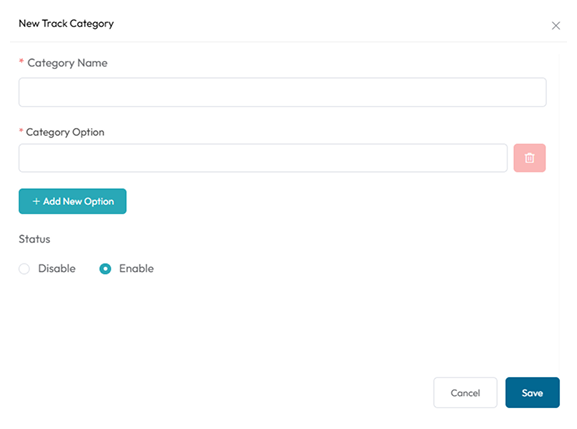
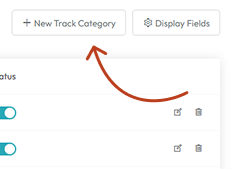
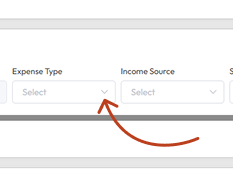
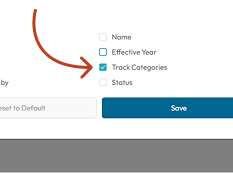
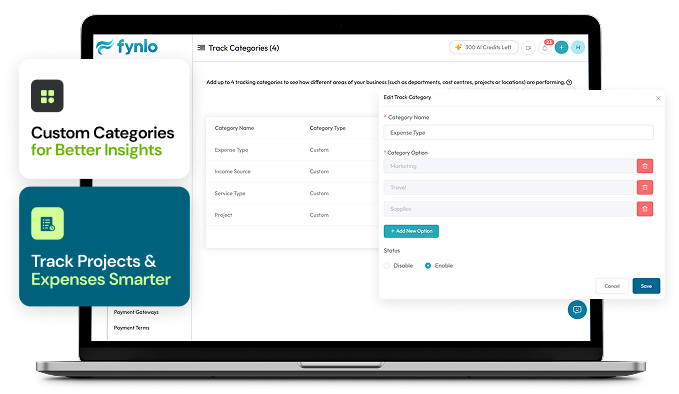
Go to Settings and add categories that fit your business.
Create Entries
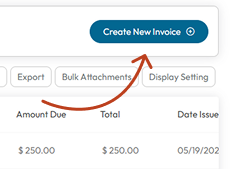
Create an Expense or Invoice as you normally would.
Assign Classes
Add items to the transaction and assign a category per item.
View Reports
Create an Expense or Invoice as you normally would.
HOW IT WORKS
Make Smarter Business Decisions
Discover how categorized tracking drives efficiency and growth.
Understand Department Spending
See exactly how much each department costs and decide where to invest more or cut back.
Evaluate Client Value
Track income and expenses per client to see which relationships are most profitable.
Spot Cost Inefficiencies
Find categories where expenses are higher than expected and take action to reduce waste.
Measure Project Profitability
Compare revenue and expenses per project so you know which ones drive growth.
Compare Branch Performance
Identify which locations are thriving and which need improvement.
Budget with Confidence
Set realistic budgets for departments, projects, or clients, and stay on track with category-based reporting.
FAQs
Frequently
Asked Questions
We’ve answered the most common questions to help you feel confident using Fynlo.
No, you do not need to install Fynlo. Fynlo accounting software is web-based, you just need an internet connection and browser.
The recommended browser is the latest version of Google Chrome web browser.
Our software offers different subscription plans with varying limits on invoices, expenses, and estimates:
Monthly Invoices:
Lifetime - Unlimited
Free Plan - 20
Starter Plan - 100
Professional Plan - 500
Estimates (Quotes):
Free Plan - 20
Starter Plan - 200
Professional Plan - 1000
These plans are designed to accommodate varying business needs, ensuring flexibility without the stress of traditional software limits.
With our software, you can invite users to your account, empowering your entire small business to effortlessly track expenses:
Free Plan: Perfect for starting out with 1 User + 1 Accountant.
Starter Plan: Ideal for growing teams with 5 users.
Professional Plan: Expand your capabilities with up to 25 users.
Now everyone in your company can manage expenses hassle-free, ensuring transparency and efficiency across the board!
Yes, your data is completely secure. Our servers are well protected and any connection is protected by 256-bit SSL encryption. Fynlo is a PCI-DSS Level 1 Service Providers.
Absolutely! We offer multiple support channels to make sure you get the help you need:
In-app support – Chat with us directly from the app
Email – Reach out anytime at [email protected]
WhatsApp Group – Join our community for quick responses
Help Center – Browse FAQs, guides, and tutorials
Plus, all our beta users and early adopters enjoy access to premium support for a faster, more personalized experience.
Creating an expense in Fynlo is easy! Just head to the Expenses section, click “Add Expense”, fill in the details like amount, category, and date — then hit Save. That’s it!
You can even keep track of how you are spending compared to your budget. Get a report every week or every month on how you are going with your spending and income.
Of course! You can select the currency you paid your expense in and we have a live currency conversion or you can enter your own currency conversion in the software to make it simple and easy.
Yes, Fynlo lets you track expenses, set budgets, and get alerts so you don’t overspend.
Appsumo - Users Question
Saved
JC
File
Comments
Catch up
Editing
Share: this file is shared
There is nothing to redo.
Paste
CutCopyFormat Painter
Wrap Text
Merge & Center
Conditional
Formatting
Format As
Table
Cell
Styles
Insert
Delete
Format
AutoSum
Clear
Sort &
Filter
Find &
Select
Add-ins
Copilot
Currently, businesses are managed through separate accounts. We are developing a "Quick Switch" feature to allow seamless toggling between different business profiles within a single login.
- Appsumo Question
- FAQ website
Resize mode exited
Because you can save money, you can save time and be compliant with accounting and taxation regulations. Keep track of your income and expenses and focus on getting customers rather than menial financial administrative work.
TESTIMONIALS
Proud to be Part of their Success
It has been all positive to date and the best part has been the intuitive nature of the software, it is very user friendly and it all just makes sense. No user manual is needed to get started.
Greg D.
Excellent and Helpful Bookkeeping Service. Their reliability and clear, timely updates—no need to stress about my books.
John Paul C.
I love how simple Fynlo makes invoicing and tracking expenses. The dashboard is clear and easy to use, and the automation for recurring invoices saves me so much time. Plus, it integrates well with other tools I use!
Ram D.
Automate your books and free up your time.
Join hundreds of small business owners simplifying their lives with Fynlo.